
eSIM: What It Is, How It Works, and Why Travelers Use It
Key takeaways
- An eSIM is a rewritable chip soldered inside your phone that replaces the plastic SIM card.
- Your carrier sends your plan over the air, usually through a QR code, and your phone stores it as a digital profile.
- Travelers can buy a local data plan before landing and keep their home number active, with no store visit.
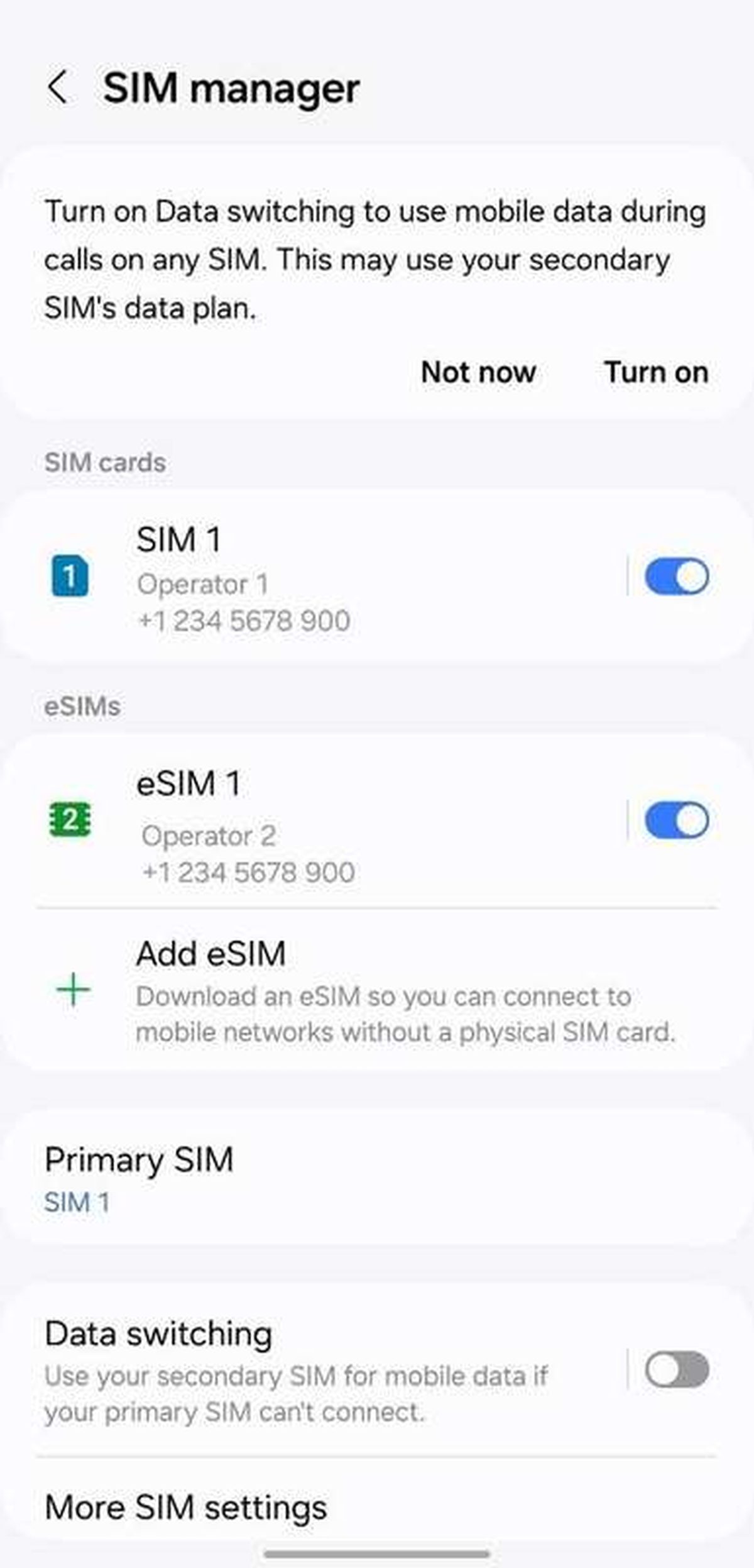
eSIM plans are added and managed from a phone's settings screen instead of a SIM tray. Photograph: Sinafe/Wikimedia Commons
Image Credits: Wikimedia Commons
An eSIM is a digital SIM card built directly into your phone. Instead of sliding a plastic chip into a tray, you download your carrier's plan onto a small soldered chip inside the device.
That chip, called an eUICC, can hold several carrier profiles at once. You switch between them in your settings, the same way you switch between Wi-Fi networks.
This article explains what an eSIM is, how it works, how to set up and use one, and why it matters for travel and dual-SIM use.
What is an eSIM?
An eSIM is an embedded SIM. The "e" stands for embedded, not electronic, and it refers to a chip soldered onto the phone's circuit board at the factory.
The technology follows a standard set by the GSMA, the industry body behind mobile networks. According to GSMArena's glossary, eSIM is a GSMA standard that supports remote SIM provisioning, which means you can change carriers or plans without touching a physical card.
The chip itself is tiny. In the common MFF2 package it measures about 5 by 6 millimeters, roughly the size of a grain of rice, and it is soldered in place during manufacturing. There is nothing to lose, snap, or eject.
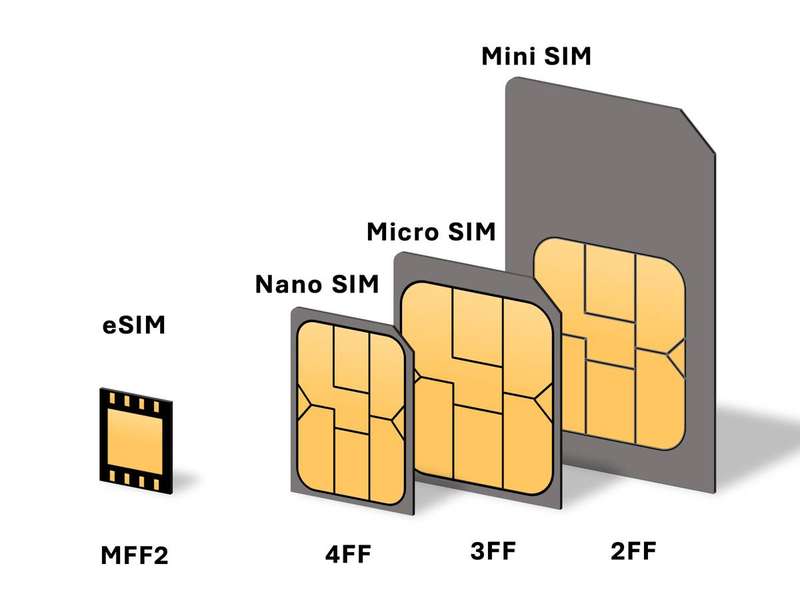
SIM cards shrank from full-size to nano over two decades. An eSIM removes the plastic entirely. Photograph: Jbond2018/Wikimedia Commons
Image Credits: Wikimedia Commons
Unlike a plastic SIM, which holds exactly one carrier profile, one eSIM chip can store several. CSL Group notes that the eUICC platform can securely store multiple operator profiles and manage their lifecycle: download, install, enable, disable, and delete.
Only one or two profiles are active at a time. On iPhone, for example, two eSIM lines can be active at once, with additional profiles stored and ready to switch on. Think of it as several SIM cards living in the phone at once, minus the plastic.
How does an eSIM work?
When you sign up for a plan, your carrier does not mail you a card. Instead, it prepares a digital profile and delivers it over the internet to your phone.
The delivery follows the GSMA's consumer specification, SGP.22. Per Velocity IoT's breakdown of the standards, the flow centers on the SM-DP+, a carrier server that securely hosts operator profiles, and the LPA, software on the phone that downloads and manages them.
The usual path looks like this. Your carrier gives you a QR code or an activation code.
You scan it, and your phone's LPA connects to the carrier's server, downloads the encrypted profile, and installs it on the eUICC chip. The profile holds the network credentials that identify you to the carrier, the same job a plastic SIM does.
Switching plans is then a software action. You open your cellular settings, pick a different stored profile, and you are on a new network. No store visit, no waiting for mail, no ejector tool.
That flexibility is the core of the GSMA's remote SIM provisioning idea. Wikipedia's entry on remote SIM provisioning describes it as a specification that lets consumers remotely activate the SIM embedded in a phone, smartwatch, or tablet.
Security works differently too. "Someone can't remove the physical SIM card if your iPhone is lost or stolen," said Kaiann Drance, Apple's vice president of iPhone product marketing, at the iPhone 14 launch. The profile data lives encrypted on the chip and is never printed on anything a thief can pull out.
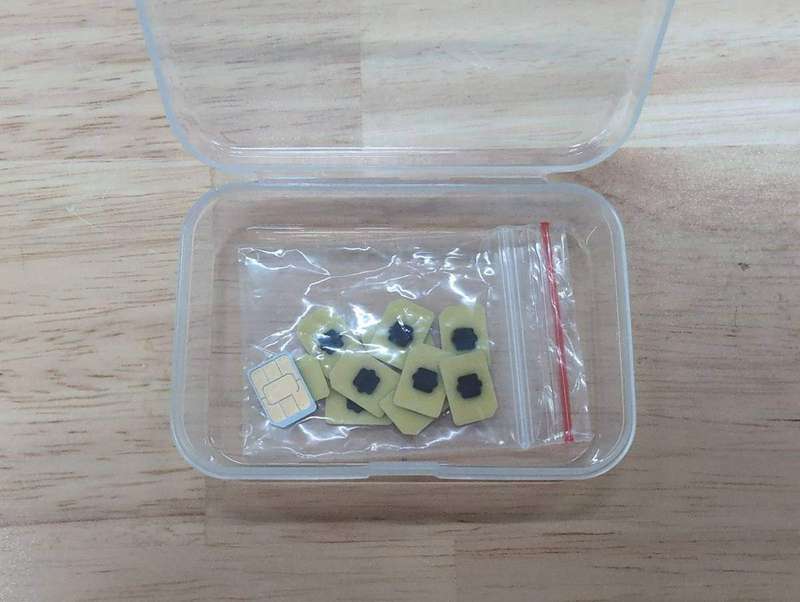
eSIM capability can also ship on removable cards, though most phones use the soldered version. Photograph: Perillamint/Wikimedia Commons
Image Credits: Wikimedia Commons
How to set up and use an eSIM
Setting up an eSIM takes a few minutes. First, confirm your phone supports it. SIM Finder points out a quick check on iPhone: open Settings, then Cellular, and if you see Add eSIM or Set Up Cellular, your device supports it.
The most common activation path is the QR code method. Here is the sequence on an iPhone:
- Connect to Wi-Fi. Most carriers require a network connection to download the profile.
- Go to Settings, then Cellular, and tap Add eSIM.
- Choose Use QR Code, then scan the code your carrier sent you by email or printed letter.
- Tap Continue, give the plan a label such as "Work" or "Travel," and choose which line handles calls, messages, and data.
On Samsung phones the path is Settings, then Connections, then SIM manager, followed by Add eSIM. If the camera scan fails, newer Galaxy devices accept a manually typed activation string.
Some carriers skip the QR code entirely. Their apps can install the eSIM profile directly on the phone. Apple also lets supported carriers convert an existing physical SIM into an eSIM on the same device, and its Quick Transfer feature moves your number from an old iPhone to a new one without calling the carrier, according to The Mac Observer's summary of Apple's support documentation.
If something goes wrong, the usual culprits are an expired QR code, a locked phone, or a plan tied to a different region. Your carrier can reissue the code. Most carriers also list the countries where their eSIM plans work, so check that list before you pay.
eSIM for travel and dual-SIM use
This is where the technology earns its keep. A traveler can buy a local data plan online the night before a flight and land with working data. GSMArena notes that consumers can purchase eSIMs in advance and activate them on arrival, with no interruption to their data connection and no visit to a carrier's office.
Dual-SIM use follows the same idea. You keep your home number on one profile and add a travel data plan on another. Both can be live at the same time on recent phones, so calls and texts still reach your regular number while the local plan handles data.
The shift became hard to ignore in 2022. Apple announced on September 7 of that year that all iPhone 14 models sold in the US ship without a SIM tray and rely entirely on eSIM, with support for two active eSIM lines, MacRumors reported. Models sold outside the US kept the tray.
That decision had a catch for travelers. Notebookcheck pointed out that a US iPhone 14 roaming in a country whose carriers do not support eSIM, such as China, leaves the traveler with no physical slot to fall back on. The takeaway is simple: check eSIM support in your destination before you buy a plan or a phone.
Who benefits most from eSIM?
Frequent flyers get the biggest win. They can keep one profile per country they visit and switch in seconds at the gate. Business users benefit too: a work line and a personal line on one phone, with separate labels and separate billing, and no need to carry two devices.
Frequently asked questions
Can I use an eSIM and a physical SIM at the same time?
Yes. Dual-SIM mode with one physical SIM and one eSIM has been standard on iPhones since the iPhone XS, XS Max, and XR launched in 2018. You pick which line handles calls, texts, and data in your cellular settings.
Does eSIM work in every country?
No. Carrier support varies by country, which is why Apple maintains a list of eSIM carriers around the world. US iPhone 14 models went eSIM-only, so travelers heading somewhere with weak eSIM support should confirm coverage first.
Is an eSIM safer than a physical SIM?
In one respect, yes. A thief cannot pop it out and slot it into another phone, which is the point Apple's product team made at launch. The profile credentials stay encrypted on the chip inside the device.
Can I move my eSIM to a new phone?
Yes. Most carriers let you transfer a number between phones through their app, and iPhones support carrier-assisted Quick Transfer between devices. If that fails, your carrier can issue a fresh QR code and you activate the plan again.
The bottom line
An eSIM is the same SIM you have always used, minus the plastic and the tray. Your carrier delivers the plan over the air, your phone stores several profiles at once, and you switch networks from your settings.
If you are curious, open your phone's cellular settings and look for Add eSIM. If it is there, your next trip abroad is the perfect excuse to try a travel data plan and see the difference yourself.
---
About the author: Rive News is a research desk covering consumer technology with explainers built from public sources.
Latest in Tech
- Night Leg Cramps: Causes and How to Stop Them
- High-Yield Savings Accounts: What They Are and How They Work
- How to Reduce Humidity in a Room Without a Dehumidifier
- Why the Sky Turns Orange at Sunrise and Sunset
Subscribe for weekly explainers that cut through tech jargon.
Found an error? Corrections are welcome at the Rive News desk and are logged with the publish date.
© 2026 Rive News. All rights reserved.
Related stories

Apple plans two October launches: smart home hub, OLED MacBook Pro
Apple set October 13 for a smart home launch with a new hub, Apple TV 4K and HomePod mini, then October 27 for OLED MacBook Pro models

How to Check If Your Phone Supports eSIM in 30 Seconds
Dial *#06# and look for an EID number to confirm eSIM support in under 30 seconds. This guide also walks through the iPhone and Android

eSIM vs iSIM: what is the difference?
An eSIM is a dedicated chip on the phone's board, while an iSIM lives inside the processor itself. Qualcomm's Snapdragon 8 Gen