
How Does Two-Factor Authentication Actually Stop Hackers Cold
Key takeaways
- Two-factor authentication asks for a second proof after your password, so a stolen password alone does not open the account.
- Authenticator apps and security keys beat texted codes, because texts can be intercepted or rerouted through SIM swaps.
- Turn it on for email first, keep backup codes offline, and never approve a login prompt you did not trigger.
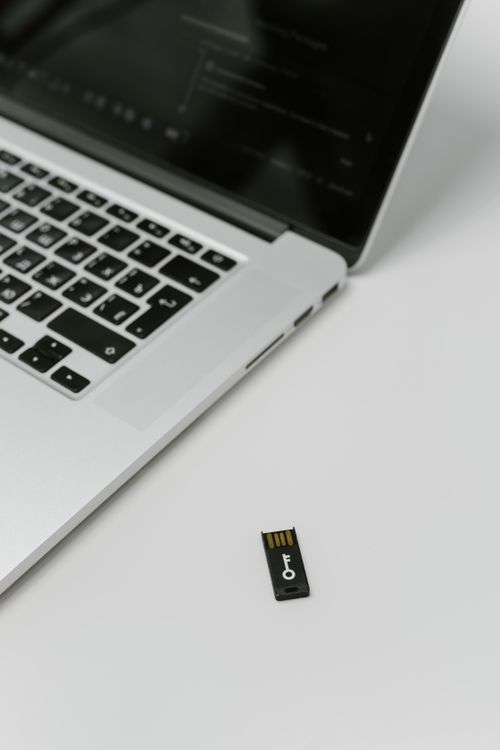
Two-factor authentication, often called 2FA, asks for two different kinds of proof before it lets anyone into an account. The first proof is usually a password. The second proof is something else, such as a code from an app, a tap on a phone, or a small hardware key.
That second step changes the whole break-in problem. A hacker who steals or guesses your password still faces a locked door, because the password is only half of the check. This article explains the attack that 2FA blocks, how each common method works, where 2FA still fails, and how to set it up so it holds.
What two-factor authentication actually checks
Every login check falls into a few broad groups. The classic three are something you know, something you have, and something you are. A password is something you know.
A phone or a security key is something you have. A fingerprint or a face scan is something you are.
Two-factor authentication pairs proofs from two different groups. A password plus a code from your phone is the most common pairing. A bank card plus a PIN at a cash machine works the same way, and it has protected bank accounts for decades.
The key point is that the two proofs must come from different groups. Two passwords would not count, because both are things you know. The strength of 2FA comes from forcing an attacker to beat two separate systems at once.
The attack it blocks: password theft
Passwords leak all the time. Breaches expose them, phishing pages harvest them, and people reuse the same password across many sites. Once a password is out, anyone can try it.
Attackers run automated lists of stolen usernames and passwords against login pages, a practice called credential stuffing. Without 2FA, the first correct password wins.
With 2FA switched on, the stolen password only gets the attacker to the second step. The service then asks for a code or an approval that lives on your device. The attacker does not have that device, so the login stalls there.
If you ever want to check your own exposure, start by learning how to check whether your email password leaked in a breach.
The numbers behind this are striking. Alex Weinert, Microsoft director of Identity Protection, said in a 2019 blog post that an account is more than 99.9 percent less likely to be compromised if you use MFA. Google research cited by security firms found similar results, with texted codes blocking all automated bot attacks and 96 percent of bulk phishing attacks in the study.
The main methods, from weakest to strongest
Texted codes are the most common form of 2FA. The service sends a short code to your phone, and you type it in. This beats a password alone, but it is the weakest method.
Texts travel without encryption, and attackers can reroute them with SIM swap tricks.
Authenticator apps are a clear step up. Apps such as Google Authenticator or Microsoft Authenticator generate a time-based one-time code, usually six digits, that refreshes about every 30 seconds. The code is created on your device from a shared secret, so nothing travels over the phone network.
The short lifetime matters, because a code captured by an attacker expires within seconds.
Push approvals work through a prompt on your phone. You tap Approve or Deny instead of typing a code. This is easy to use, and the prompt often shows where the login attempt came from.
The risk is push fatigue, where an attacker spams prompts until a tired user taps Approve by mistake.
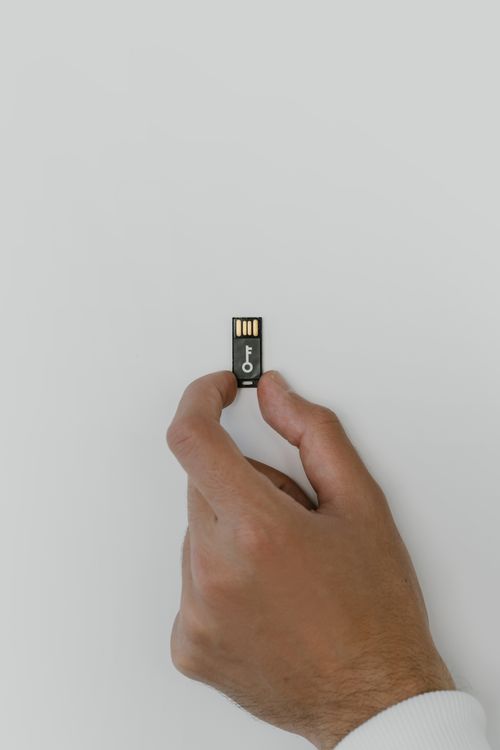
Security keys are the strongest option. A small key plugs into a USB port or taps over NFC, then proves your identity with cryptography. The key also checks that you are logging into the real site, not a fake copy.
In the Google study, security keys blocked every class of attack tested, including targeted attacks that beat texted codes.
Where two-factor authentication still fails
2FA is not a magic shield. Attackers have learned to work around it, and the weak spots are worth knowing. The most common bypass is the recovery flow.
If a service lets you reset a password by answering weak questions or clicking an emailed link, that path can skip 2FA entirely.
SIM swap attacks target texted codes directly. An attacker convinces a phone company to move your number to a SIM card the attacker controls. From then on, your texted codes land in the attacker's hands.
This is the main reason security teams advise against SMS codes when a stronger option exists.
Phishing still works against code-based 2FA. A fake login page can ask for your password and your current code, then pass both to the real site within seconds. Security keys resist this trick, because the key checks the site address before it signs anything.
This is also why caution matters on unknown networks, and why it helps to know how to tell whether public Wi-Fi is safe to use.
Malware on your own device is another weak spot. If an attacker controls your phone or computer, they may read codes or approve prompts as you do. Keeping devices updated and avoiding suspicious downloads matters as much as the login method itself.
The same caution applies to odd login pages, including phishing QR codes that steer you to fake sign-in screens.
How to set it up so it holds
Start with your email account. Email is the master key to most other accounts, because password resets flow through it. Turn on the strongest 2FA the service offers, and use an authenticator app or a security key rather than texted codes.
Save the backup codes the service gives you. Print them or write them down, then store them somewhere safe and offline. If you lose your phone, those codes are your way back in.
Do not store them as a screenshot in the same cloud account they protect.
Treat approval prompts as alarms. If a prompt arrives when you are not logging in, tap Deny and change your password right away. The prompt means someone has your password and is testing the second lock.
That signal is one of the quiet benefits of 2FA, and it only helps if you act on it.
For messaging and sensitive files, pair 2FA with encryption. Learning end-to-end encryption in plain English shows how the two protections cover different risks, one at the login and one around the content itself.
The bottom line
Two-factor authentication works because it splits trust across two different proofs. A stolen password becomes far less useful when the second proof lives on a device the attacker does not hold. Authenticator apps and security keys give the strongest protection, while texted codes are better than nothing but easier to defeat.
Turn it on for email first, keep backup codes offline, and treat any unexpected prompt as a warning.
Tags: two-factor authentication, account security, passwords, online safety
Latest in Tech
- Tell Whether Public Wi-Fi Is Safe to Use
- Check Whether Your Email Password Leaked in a Breach
- End-to-End Encryption in Plain English
- Phishing QR Codes and How to Avoid Them
Subscribe for one practical security explainer each week.
Related stories

Apple plans two October launches: smart home hub, OLED MacBook Pro
Apple set October 13 for a smart home launch with a new hub, Apple TV 4K and HomePod mini, then October 27 for OLED MacBook Pro models

How to Check If Your Phone Supports eSIM in 30 Seconds
Dial *#06# and look for an EID number to confirm eSIM support in under 30 seconds. This guide also walks through the iPhone and Android

eSIM vs iSIM: what is the difference?
An eSIM is a dedicated chip on the phone's board, while an iSIM lives inside the processor itself. Qualcomm's Snapdragon 8 Gen