
What happens to deleted photos on your phone
By Rive News / Research desk | Rive News / Published October 29, 2026 at 9:00 AM PKT
Key takeaways
- Deleting a photo first moves it to a trash folder, not to immediate destruction.
- Apple keeps deleted photos for 30 days; Google Photos now lists 30 days in current guidance.
- After permanent deletion, recovery from a modern encrypted phone is unlikely without a backup.

[A woman photographs snow-covered trees with her phone during snowfall. Photograph: N509FZ / Wikimedia Commons]
Image Credits: Wikimedia Commons
Deleting a photo feels final. The image vanishes from the grid, the thumbnail is gone, and the library looks smaller. On a modern phone, that first tap is usually not final at all.
The photo moves to a holding folder, where it waits for a set number of days in case the deletion was a mistake. Only after that window, or after you empty the folder yourself, does the phone treat the photo as truly gone.
This article explains the short answer, the trash folder first, the iPhone and Android windows, what permanent deletion does to storage, why recovery apps mostly fail now, and how to keep photos safe.
The short answer
When you delete a photo, the phone's photo app moves it out of the main library and into a trash area. On an iPhone, that area is called Recently Deleted. In Google Photos, it is called Trash.
In Samsung's Gallery app, it is called the Recycle bin. The names differ, but the idea is the same. Deletion is a two-step process, and the first step is reversible.
During the waiting period, the photo still takes up storage. It is hidden from the main grid, but it has not been erased. Restoring it returns it to the library and to any albums it belonged to, with no quality loss, because the file itself never left the device or the cloud account during that window.
The second step is permanent deletion. It happens automatically when the window expires, or immediately when you empty the trash folder yourself. At that point, the photo app removes the file and releases its storage.
What happens to the underlying data after that depends on the phone's storage and encryption, and that is where modern phones differ sharply from older ones.
The trash folder first
Apple's support documentation states the iPhone rule plainly. When you delete photos and videos, they are sent to the Recently Deleted album for 30 days, and after 30 days they are deleted permanently. On recent iOS versions, that album is locked behind Face ID, Touch ID, or the passcode, so a person holding an unlocked phone cannot silently wipe it.
Google Photos follows a similar pattern with a wrinkle worth knowing. Google's help community states that backed-up photos and videos stay in trash for 60 days, while photos that were not backed up stay for 30 days. More recent reporting on Google's updated documentation says the backed-up window has been shortened to 30 days, with the rollout reaching users gradually during 2026.
The safe assumption is 30 days. If an item shows a longer remaining time in your own trash, treat that as a bonus, not a promise.
Samsung's Gallery app keeps deleted photos and videos in its Recycle bin for 30 days before permanent deletion, according to Samsung's own support page. The steps are simple. Open Gallery, tap Menu, choose Recycle bin, select the photos, and tap Restore.
The same 30-day figure appears across the major apps, which is why 30 days is the number to remember even when older guidance mentions 60.
Cloud sync complicates the picture in one important way. If you use iCloud Photos and delete a photo on one device, Apple says it will be deleted on all other devices signed in with the same account. The deletion travels with the sync.
That is convenient for tidiness and dangerous for accidents, because there is no separate copy left on your iPad once the phone's deletion has synced. The trash folder is shared too, so recovery from any synced device works within the same window.
iPhone vs Android windows
The iPhone path is the most consistent. Open Photos, go to Collections, scroll to Utilities, and tap Recently Deleted. Unlock it, select the items, and tap Recover.
Each thumbnail shows how many days remain before permanent removal, so the oldest items are the ones to rescue first.
The Android path depends on which gallery app holds the photo. In Google Photos, the route is Collections, then Trash, then select and Restore. On a Samsung phone, the Gallery app's own Recycle bin may hold photos that Google Photos never saw, especially photos taken and deleted before backup ran.
Checking both places is worth the minute it takes, because the two trash folders are independent.
There is one trap in Google Photos that deserves attention. If the trash is full and you see a prompt to delete permanently when you try to move something there, emptying the trash to make room deletes everything inside it for good. Restore what you need first, then clear the rest.
The same caution applies on iPhone. Emptying Recently Deleted is not a tidy-up. It is the irreversible step itself.
What permanent deletion does to storage
On an old hard drive, deleting a file removed only the pointer to it, and the data sat untouched until something overwrote it. That is why classic undelete tools worked. They scanned the raw drive for orphaned data and reassembled it.
Modern phones break all three assumptions behind that trick.
First, modern Android and iOS devices encrypt files individually, and deleting a file destroys its encryption key. The scrambled data may linger briefly on the flash chip, but without the key it is unreadable. Second, app sandboxing stops recovery apps from reading raw storage at all.
A recovery app on a non-rooted phone can only see what the system lets it see, which does not include the raw blocks where a deleted file lived. Third, flash memory actively erases freed blocks in the background, a process tied to wear levelling and garbage collection, so even the scrambled remnants do not sit around for long.
The practical result is stark. On a modern phone's internal storage, a photo that has passed permanent deletion is, for ordinary purposes, gone. Forensic tools and chip-level extraction exist, but they are not what a recovery app in an app store does, and they are not available to a typical owner at any reasonable cost.
A removable SD card is a different story. Cards commonly use simpler file systems without per-file encryption, so a deleted photo on a card may remain recoverable until it is overwritten. That is why the same recovery app can succeed on a card and fail on internal storage.
The storage medium, not the app, decides the odds.
Why recovery apps mostly fail now
The app store is full of tools promising deep scans and guaranteed recovery. Their marketing leans on the old hard-drive model, and their screenshots imply a scan of the whole phone. On a modern phone, that scan cannot happen, because the operating system does not grant raw storage access to ordinary apps.
Some recovery tools also ask for broad access to all files and photos, which trades a small chance of recovery for a real privacy exposure. The safer order is trash first, then cloud accounts and backups.
How to keep photos safe
The only reliable protection is a backup made before the deletion. Automatic backup to iCloud Photos, Google Photos, or a second service means a deleted photo may survive in that service's own trash or archive even after the phone's copy is gone. A second backup target, such as a computer or an external drive, removes the single point of failure that one cloud account represents.
A simple habit covers most accidents. Before deleting in bulk to free space, check that backup has finished for the photos you care about, and use the free-up-space option rather than delete where the app offers it. In Google Photos, freeing space removes the device copy while keeping the cloud copy.
Deleting removes both, after the trash window. The two commands look similar and do different things.
If a deletion has already happened, act in this order. Check the trash folder on the phone, then the same folder on the web version of the service, then any second gallery app, then backups made before the deletion.
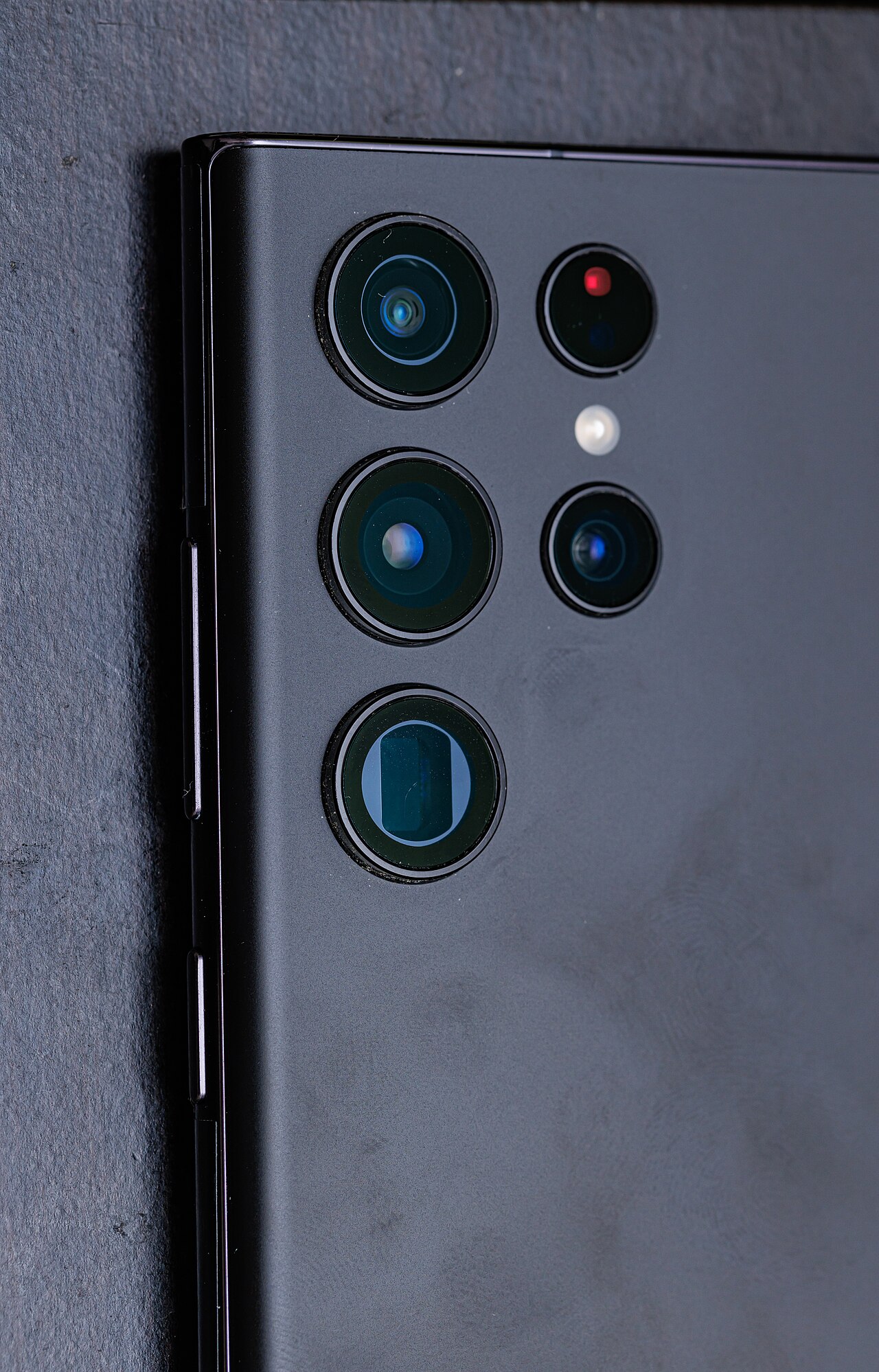
[The raised camera plateau on a Samsung Galaxy S22 Ultra, housing multiple large sensors. Photograph: Dinkun Chen / Wikimedia Commons (CC BY-SA 4.0)]
Image Credits: Wikimedia Commons
Frequently asked questions
If I delete a photo, does it free space immediately?
Not quite. It stays in the trash folder and keeps taking up space until the window expires or you empty the trash. Only permanent deletion releases the storage.
Can the police or a lab recover a permanently deleted photo?
Chip-level forensic extraction can sometimes recover remnants from flash storage, but it is expensive, uncertain, and far beyond what consumer recovery apps do. For ordinary purposes, permanent deletion on an encrypted phone is final.
Does deleting from my phone delete the photo everywhere?
If cloud sync is on, yes, after the trash window. A deletion on one synced device propagates to the others, so check the shared trash folder rather than hunting for a surviving copy on another device.
Is an SD card photo easier to recover than an internal photo?
Yes. SD cards usually lack per-file encryption, so deleted files may linger until overwritten. Stop using the card at once to avoid overwriting, and scan it from a computer rather than from the phone.
The bottom line
A deleted photo is not gone at first. It sits in a trash folder for about 30 days, restorable in full, and only permanent deletion or an emptied trash folder removes it. After that, encryption and flash management on a modern phone make recovery unlikely without a backup.
The habit that saves photos is not a recovery app. It is a backup that finished before the delete button was pressed.
Tags: deleted photos, phone storage, backups
Rive News's research desk covers everyday technology in plain language, checking each claim against public documentation before publication.
Related
- How to free up storage on a phone without deleting photos
- What happens to your data when you delete an app, explained
- What cloud storage is and where your files actually go
- Why your phone gets slower when storage is nearly full
Subscribe to Rive News for one plain-English technology explainer each weekday.
Rive News publishes explainers based on public sources; corrections are noted on the article when a sourced fact changes.
Related stories

Apple plans two October launches: smart home hub, OLED MacBook Pro
Apple set October 13 for a smart home launch with a new hub, Apple TV 4K and HomePod mini, then October 27 for OLED MacBook Pro models

How to Check If Your Phone Supports eSIM in 30 Seconds
Dial *#06# and look for an EID number to confirm eSIM support in under 30 seconds. This guide also walks through the iPhone and Android

eSIM vs iSIM: what is the difference?
An eSIM is a dedicated chip on the phone's board, while an iSIM lives inside the processor itself. Qualcomm's Snapdragon 8 Gen