
What to do when your smart TV remote stops working
By Rive News / Research desk | Rive News / Published October 26, 2026 at 9:00 AM PKT
Key takeaways
- Start with fresh batteries, then check whether the remote sends an infrared signal at all.
- Smart remotes use Bluetooth for most buttons, so a lost pairing needs a re-pair, not new batteries.
- If nothing works, the TV's own buttons or a phone app can bridge the gap until a replacement arrives.
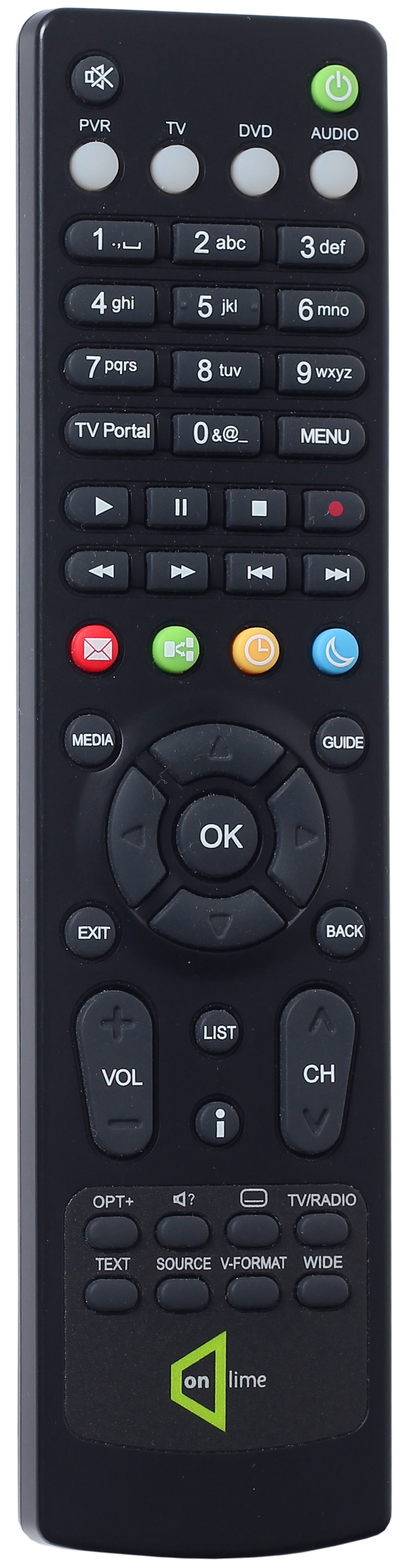
[A black television remote control rests on a surface.] Photograph: Wikimedia Commons contributor
Image Credits: Wikimedia Commons
A smart TV remote that stops working is usually fixable in a few minutes, and the fix depends on which part failed. This article explains what to do when your smart TV remote stops working, including fresh batteries, the infrared sensor test, Bluetooth pairing, and what to try when nothing works.
First, figure out which kind of remote you have
Smart TV remotes come in two broad kinds, and the troubleshooting path splits on this question. An infrared remote sends invisible light pulses from a small window at its front end, and it needs a clear line of sight to the TV. A Bluetooth smart remote pairs with the TV like a wireless headset, and it works without pointing directly at the screen for most buttons.
Many modern smart remotes use both, with infrared for power and volume and Bluetooth for voice control and menus.
Check your remote for a clue. A remote with a microphone button, a voice assistant button, or an on-screen pointer almost certainly uses Bluetooth for those features. A plain remote with only power, volume, channel, and menu buttons is more likely infrared only.
Your TV manual or the manufacturer's support page will settle it, and knowing the answer saves you from trying a pairing fix on a remote that cannot pair.
Step 1: fresh batteries, done properly
Start with the simplest fix, but do it thoroughly. Remove the old batteries, check the compartment for corrosion or leaking, and insert a brand-new set of alkaline batteries with the polarity marks matched. Weak batteries are the most common cause of a remote that works sometimes, works only up close, or works for some buttons but not others.
Even batteries that still light up the remote can fail under load, so a fresh set is a real test, not a formality.
While the compartment is open, clean the metal contacts with a dry cloth. If you see white or green crust from a leaking battery, wipe it gently with a cotton swab barely dampened with rubbing alcohol, then let it dry fully before inserting new batteries. Never mix old and new batteries, and skip rechargeable batteries for this test, because their lower voltage can weaken the signal enough to confuse the diagnosis.
Step 2: test whether the remote sends a signal
The phone camera test is the fastest way to separate a dead remote from a deaf TV. Point the front of the remote at your phone camera, press and hold a button, and watch the screen. A working infrared emitter shows up as a flickering purple or white light on the camera display.
Samsung's support guide gives exactly this test as the step that decides what to try next.
If you see the light, the remote is sending, and the problem sits with the TV side, the sensor, or the pairing. If you see no light with fresh batteries installed, the remote itself is probably dead, and further TV-side steps will not help. Note one limit of this test: it checks infrared only, so a Bluetooth smart remote can pass or fail it without telling you anything about its Bluetooth link.
Use it as a clue, not a verdict, for smart remotes.
Step 3: check the sensor and the line of sight
Infrared needs a clear path. Look for the TV's sensor, usually a small dark window on the lower bezel near the power light, and wipe it gently with a soft, dry cloth. Dust, a smudge, or a soundbar parked in front of the sensor can block the signal completely.
Move any object sitting between you and the TV, and try again from a few feet away, pointing directly at the sensor.
Bright light can also interfere. Sunlight and some halogen lamps flood the room with infrared radiation that swamps the remote's signal. If the remote works at night but not during the day, try closing the blinds or switching off a lamp near the TV as a test.
Glass cabinet doors cause a similar problem, because they reflect part of the signal away. Testing with the cabinet door open takes ten seconds and rules out a whole category of causes.
Step 4: reset the remote
If fresh batteries and a clear sensor do not help, reset the remote. The exact method depends on the brand, so check your manual, but the pattern is similar across brands: remove the batteries, press and hold the power button for about 8 seconds to drain any stored charge, then reinsert the batteries. Samsung's support page describes exactly this reset for battery-powered remotes, with a separate 10-second button hold for its newer solar remotes.
A reset clears temporary glitches in the remote itself, including stuck button states and confused pairing data. It does not erase your TV settings, your accounts, or your installed apps. Think of it as restarting the remote rather than resetting the TV, and try it before you move on to deeper TV-side steps.
Step 5: re-pair a Bluetooth smart remote
A Bluetooth smart remote that has lost its pairing will show a confusing pattern: power may still work by infrared, while voice, pointer, and menu buttons do nothing. That split is the signature of a pairing problem. The fix is to pair the remote again, standing close to the TV with the TV fully powered on, not in standby.
Samsung's standard method is to point the remote at the TV and hold the Return and Play/Pause buttons together until the TV confirms the connection. LG's Magic Remote re-registers by holding the Home and Back buttons together for several seconds to cancel the old registration, then pressing the wheel button while pointing at the TV. Roku voice remotes pair by holding the pairing button inside the battery compartment, or the star and home buttons together on models without one.
The button names differ, but the idea is the same: put the remote into pairing mode near the TV and wait for the on-screen confirmation.
If pairing fails repeatedly, move closer. Bluetooth pairing during setup often needs the remote within a few feet of the TV, even though normal use works from across the room. Switch off other nearby TVs of the same brand while you pair, so the remote cannot latch onto the wrong set.
If the TV offers a remotes menu in settings, try pairing from there as an alternative, because some models only accept a new remote through the menu.
Step 6: power-cycle the TV
When the remote seems fine but the TV ignores it, restart the TV itself. Use the physical power button on the TV to switch it off, unplug it from the wall for about 60 seconds, then plug it back in and switch it on again. This clears temporary software glitches in the TV's receiver and Bluetooth stack.
It is different from a factory reset, which erases your settings, so do not jump to a factory reset until this simpler restart has failed.
After the TV restarts, test the remote again before changing anything else. If it works, the cause was a transient glitch, and no further action is needed. If it still fails, work through the pairing step once more on the freshly restarted TV, because a restart sometimes clears the very pairing state that was blocking the remote.
[A person holds a remote control while watching television at home.] Photograph: Wikimedia Commons contributor
Image Credits: Wikimedia Commons
When nothing works
If every step above fails, you still have options while you wait for a replacement. Most TVs have physical buttons on the set itself, often on the back or underside, that cover power, volume, and input. The manufacturer's phone app can also control the TV over your home network, and it works even when the remote is completely dead.
A universal remote is a cheap stopgap, and it can later serve as a backup.
At this point, the likely culprits are a failed remote or a failed TV sensor. Borrow a known-good remote of the same brand if you can, because a working spare settles the question immediately. If a spare remote also fails, the TV's sensor or Bluetooth receiver may need service, and the manufacturer's support team is the next step.
If the spare works, order a replacement remote for your exact TV model rather than a generic one, because smart features like voice control often need the matching remote.
Frequently asked questions
Why does my smart TV remote work for power but not for menus?
Power often works by infrared, while menus, voice, and pointer features use Bluetooth. If Bluetooth pairing is lost, the infrared buttons keep working while the smart buttons stop, which points to a re-pair rather than new batteries.
How do I test a TV remote with my phone?
Point the remote at your phone camera and press a button. A flickering purple or white light on the camera screen means the infrared emitter is working. This test checks infrared only, not the Bluetooth link.
How do I re-pair a Samsung smart remote?
Point it at the TV and hold Return and Play/Pause together until the TV shows a pairing confirmation. For a 2021 or newer solar remote, first reset it by holding Return and Enter together for 10 seconds.
Can sunlight stop a TV remote from working?
Yes. Strong sunlight and some halogen lamps emit infrared radiation that can overwhelm the remote's signal. If the remote works at night but not by day, light interference is a likely cause.
Should I factory reset my TV if the remote stops working?
No, not first. Try fresh batteries, a remote reset, a re-pair, and a TV power cycle first. A factory reset erases your settings and apps, so keep it as a last resort before seeking service.
The bottom line
Work the problem in order: fresh batteries, the camera test, a clean sensor and clear line of sight, a remote reset, a Bluetooth re-pair, and a TV power cycle. Each step rules out one cause, so by the end you will know whether the fault sits in the remote, the pairing, or the TV itself. Keep a phone app or a cheap universal remote as a backup, and you will never be stuck staring at a TV you cannot control.
Tags: smart TV, troubleshooting, home tech
Rive News's research desk covers everyday science and pet behavior in plain language, citing public sources for every key claim.
Related
- What a smart TV does with your viewing data
- How to record your screen on Windows without installing apps
- eSIM versus physical SIM for international travel
- What eSIM is and how it works
Subscribe for one plain-language explainer a day, no jargon and no filler.
Rive News publishes research-desk explainers with named sources and a standing corrections policy: errors are corrected openly when readers point them out.
Related stories

Apple plans two October launches: smart home hub, OLED MacBook Pro
Apple set October 13 for a smart home launch with a new hub, Apple TV 4K and HomePod mini, then October 27 for OLED MacBook Pro models

How to Check If Your Phone Supports eSIM in 30 Seconds
Dial *#06# and look for an EID number to confirm eSIM support in under 30 seconds. This guide also walks through the iPhone and Android

eSIM vs iSIM: what is the difference?
An eSIM is a dedicated chip on the phone's board, while an iSIM lives inside the processor itself. Qualcomm's Snapdragon 8 Gen