
What Is a DNS Server and Why Does It Change Browsing Speed?
Key takeaways
- A DNS server is the internet's phone book, translating domain names like example.com into IP addresses computers can use.
- ISP-provided servers can be slow, overloaded, or log your queries, which is why switching helps.
- Google's 8.8.8.8 answers in about 19 ms; Cloudflare's 1.1.1.1, launched in 2018, claims to be the fastest public resolver.
Type a website address, and the page appears in a blink. Behind that blink sits a lookup you never notice.
Your computer does not know where "example. com" lives until something translates the name into a number. That something is a DNS server, and the one you use is probably your internet provider's default, not your fastest option.
This article takes a closer look at what a DNS server is and why changing it can speed up browsing, including how a lookup works, how queries travel, why the default server can slow you down, and what switching actually changes.
What a DNS server does
DNS stands for Domain Name System. A DNS server acts like the internet's phone book: it takes a human-friendly domain name and converts it into the numeric IP address of the server hosting that site. Allconnect gives the textbook example: instead of remembering Google's address as 8.8.8.8, you type "google" and the server finds it.
Your computer needs the number, not the name. Every connection starts with that translation. Make Tech Easier puts the scale in perspective: your computer manually sorting through the internet's roughly 1.8 billion websites would take a very long time, so the phone book does it in milliseconds.
The name "server" hides a whole system. When your device asks for a domain, the request can pass through several layers: your device's resolver, your ISP's recursive server, and the authoritative name servers for the domain. Most guides simplify this to one box, but the chain matters, because every extra hop is a chance for delay.
How a lookup travels from your browser
Here is the trip, step by step. You type a domain into your browser. Your device first checks its own cache; if you visited the site recently, the answer is already stored and the lookup takes zero network time.
If the cache misses, your device asks its configured DNS resolver. By default, that resolver belongs to your ISP, assigned automatically when you connect.
The resolver checks its own cache, and if that misses too, it walks the DNS hierarchy: root servers, then the servers for the domain's suffix, then the domain's authoritative servers. Each step returns the next address in the chain.
Finally, the IP address comes back to your browser, which opens the connection and downloads the page. A modern page pulls resources from dozens of domains: the main site, a CDN, analytics, fonts, ad networks.
Each new domain needs a lookup. That is why DNS latency multiplies: one slow resolver can add a delay to every single domain on the page.
1GBits makes the useful distinction clear. Changing your DNS server tells your device which resolver to ask when it needs to turn a hostname into an IP address.
It affects name resolution, not the full path your traffic takes. DNS is one layer of the stack, not the whole thing.

Server racks in a data center. Photograph: Victorgrigas/Wikimedia Commons
Why the default server can slow you down
Your ISP's DNS servers are free, automatic, and usually good enough. But ISPs rarely invest much in them, and that shows up in four ways.
First, speed. ISP servers can be slow or overloaded, especially during peak hours.
Make Tech Easier notes that when ISP servers are not well maintained, requests for some websites get bounced between servers before the correct address is found, which slows the site down. A hundred milliseconds here and there adds up across dozens of lookups per page.
Second, privacy. Your ISP can see and log every domain you look up, which is close to a full browsing history. Switching to a public resolver moves that visibility from your ISP to the resolver's operator, which is why privacy policies matter when choosing one.
Third, blocking and hijacking. Some ISPs block access to certain sites at the DNS level, returning a wrong or empty answer.
Changing your DNS often routes around that. Malicious actors can also hijack DNS to redirect you to fake sites, and most ISP resolvers do not use DNSSEC or DNSCrypt, the security features that protect lookups from being spied on or redirected.
Fourth, reliability. A single ISP's resolver is one point of failure.
Public services run anycast networks with servers on every continent, so there is almost always a fast, working copy nearby. Allconnect's 2026 comparison lists Google Public DNS at 8.8.8.8 with a query time of 19 ms, marketed toward gamers and streamers who feel every millisecond.
Surfshark's guide adds another wrinkle. When you join a new network, like at work or in a coffee shop, you are forced onto whatever DNS that network provides. Knowing how to change it puts you back in control.
What changes when you switch, and what does not
Switching is simple in concept: you tell your device or your router to ask a different resolver. Changing the router setting covers every device in the home at once, which Make Tech Easier recommends as the one-time fix.
The honest gains are modest but real. A faster resolver cuts lookup time, which makes pages start loading sooner, especially on pages that pull from many domains.
During ISP peak hours, the difference can be the most visible. It will not double your internet speed, and 1GBits is blunt about that: DNS affects name resolution, not bandwidth.
The side benefits are often the real reason people switch. Cloudflare's 1.1.1.1, launched in 2018, promises not to store personal browsing data or sell it to advertisers, according to Surfshark.
Quad9 and NextDNS focus on blocking malicious domains and phishing. OpenDNS and CleanBrowsing add parental controls and malware filtering.
What switching does not do: it does not hide your IP address, it does not encrypt your traffic the way a VPN does, and it does not fix a bad connection. If the Wi-Fi is unstable, the ISP link is down, or the site itself is broken, a new resolver changes nothing. And you are still trusting someone: Cloudflare, Google, Quad9, whoever you pick, as 1GBits notes.
If you want the fastest option, benchmark first. Tools like DNS Jumper or DNS Benchmark measure actual query times from your location, because the fastest resolver on paper is not always the fastest from your network.
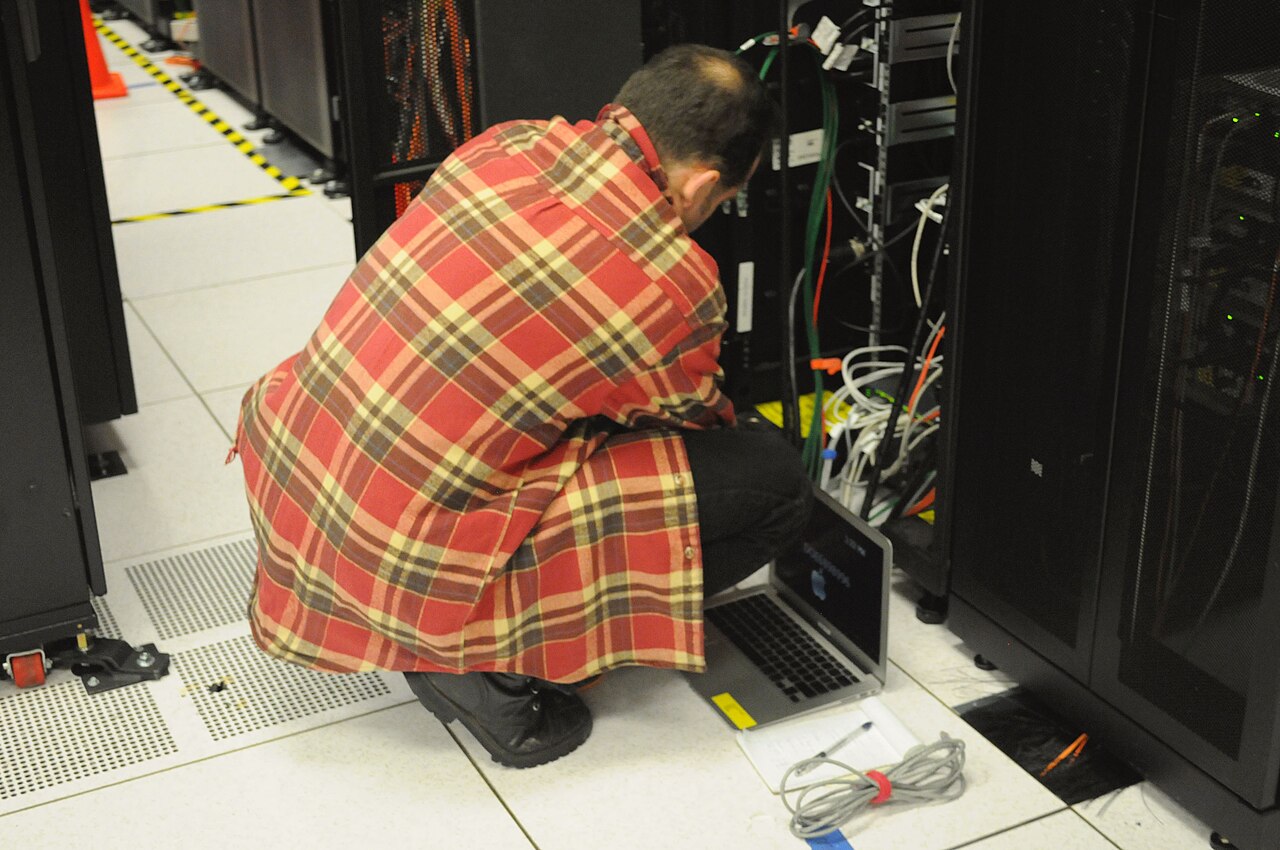
A technician servicing a server rack. Photograph: Derrick Coetzee/Wikimedia Commons

Servers mounted in a rack. Photograph: Abigor/Wikimedia Commons
Frequently asked questions
What is a DNS server in simple terms?
It is the internet's phone book. When you type a domain name, a DNS server translates it into the numeric IP address your computer needs to connect to that site. Without it, you would have to memorize IP addresses for every website.
Will changing my DNS make my internet faster?
It can make browsing feel faster, not increase your bandwidth. A quicker resolver shortens the lookup for each domain a page needs, so pages start loading sooner. The gain is usually fractions of a second per lookup, most noticeable on domain-heavy pages during ISP peak hours.
Is it safe to use Google DNS or Cloudflare DNS?
Both are run by major companies with published privacy policies. Cloudflare's 1.1.1.1 pledges not to store personal browsing data or sell it. That said, you are shifting trust from your ISP to the resolver operator, so read the privacy policy of whichever you choose.
Should I change DNS on my device or my router?
The router, if you want every device in the home to use it. Changing one device only affects that device. The router change is a single setting that covers phones, laptops, and smart TVs at once.
The bottom line
A DNS server turns domain names into IP addresses, and your ISP's default resolver is often the slowest, least private link in that chain. Switching to a public resolver like Google's 8.8.8.8 or Cloudflare's 1.1.1.1 cuts lookup latency, adds phishing and malware filtering, and takes DNS logging out of your ISP's hands.
It will not fix bandwidth problems or hide your traffic, but for a free setting change, it is one of the best small wins in networking. For more everyday tech explainers, see why some messages show as green and others as blue and why your phone dims in sunlight even at full brightness.
Latest in Tech
- Why do some messages show as green and others as blue?
- Why does your phone dim in sunlight even at full brightness?
- Why does your phone vibrate differently for calls and notifications?
Subscribe for one clear explainer every morning.
Image Credits: Wikimedia Commons / Victorgrigas, Abigor, Derrick Coetzee
Related stories

Apple plans two October launches: smart home hub, OLED MacBook Pro
Apple set October 13 for a smart home launch with a new hub, Apple TV 4K and HomePod mini, then October 27 for OLED MacBook Pro models

How to Check If Your Phone Supports eSIM in 30 Seconds
Dial *#06# and look for an EID number to confirm eSIM support in under 30 seconds. This guide also walks through the iPhone and Android

eSIM vs iSIM: what is the difference?
An eSIM is a dedicated chip on the phone's board, while an iSIM lives inside the processor itself. Qualcomm's Snapdragon 8 Gen