
WiFi 7 vs WiFi 6E, explained for normal people
Key takeaways
- Wi-Fi 6E is Wi-Fi 6 extended into the new 6 GHz band; Wi-Fi 7 is the next generation, adding Multi-Link Operation, 320 MHz channels, and 4096-QAM.
- Real lab tests show best-case speeds around 1.7 Gbps for 6E and 3 to 3.5 Gbps for Wi-Fi 7, far below the advertised 9.6 and 46 Gbps figures.
- If your internet plan is under 1 Gbps and your 6E setup works well, upgrading is not urgent; multi-gig fiber households buying long-term should look at Wi-Fi 7.
Your router box throws around numbers like 9.6 Gbps and 46 Gbps, and none of them describe what happens in your living room. Wi-Fi 6E and Wi-Fi 7 are both real improvements, but they improve different things, and the marketing hides which one matters to you.
Wi-Fi 6E, in one sentence: it is the Wi-Fi 6 you already know, extended into a brand-new radio band at 6 GHz. Wi-Fi 7, in one sentence: it is the next full generation, built to stay fast when the whole house is online at once.
This article explains what each one actually is, the three upgrades Wi-Fi 7 brings, what speeds people really get, and a simple rule for whether you should upgrade your router now.
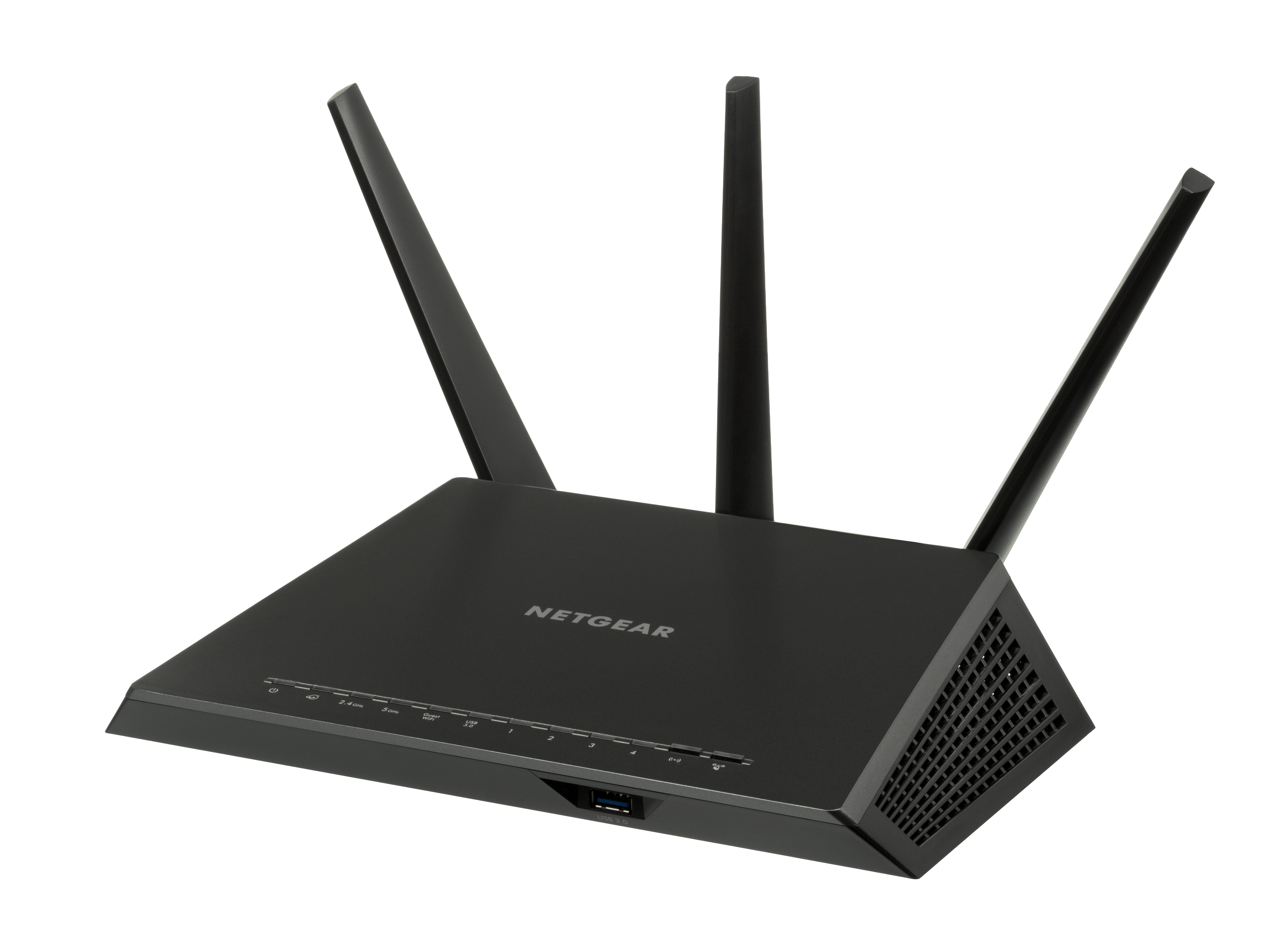
What Wi-Fi 6E actually is
Wi-Fi 6E is not a new technology generation. It is plain Wi-Fi 6 (the 802.11ax standard) with access to a huge new stretch of radio spectrum at 6 GHz.
That spectrum is the whole story. On April 23, 2020, the US Federal Communications Commission voted unanimously in Washington to open 1,200 MHz of the 6 GHz band (5.925 to 7.125 GHz) for unlicensed use. Kevin Robinson, a marketing lead at the Wi-Fi Alliance, called it the most monumental Wi-Fi spectrum decision in the group's 20-year history.
It was the biggest spectrum addition since Wi-Fi was first cleared in 1989, roughly quadrupling Wi-Fi's total airspace, with room for seven full-capacity 160 MHz channels at once.
Think of it as opening a brand-new empty highway next to the crowded old one. The theoretical top speed, 9.6 Gbps, is the same as Wi-Fi 6, because the radio technology is the same.
The win is that almost no legacy devices use the 6 GHz band, so there is far less interference. The first 6E devices arrived in early 2021 after the Wi-Fi Alliance began certifying them.
The catch is physics: 6 GHz signals punch through walls worse than the older 2.4 GHz band. Wi-Fi 6E shines close to the router or in open rooms, and bigger homes may need a mesh setup to spread it around.
What Wi-Fi 7 adds: the three upgrades that matter
Wi-Fi 7 (the 802.11be standard, finalized by the IEEE in September 2024) is a genuine new generation. It has three headline upgrades.
Multi-Link Operation (MLO). This is the real difference-maker. A Wi-Fi 6E device connects on one band at a time: 2.4, 5, or 6 GHz. A Wi-Fi 7 device can use multiple bands simultaneously, aggregating them into one faster, steadier connection. In practice that shows up as lower latency and fewer stutters when the house is busy, like a work video call staying smooth while someone else streams 4K. MLO is mandatory for Wi-Fi 7 certification, according to Wikipedia's summary of the spec.
320 MHz channels. Wi-Fi 7 can use channels twice as wide as Wi-Fi 6E's 160 MHz maximum, but only in the 6 GHz band. Wider channels carry more data at once, which is where a chunk of the speed gain comes from.
4096-QAM. This denser modulation scheme packs 12 bits into each signal instead of 10, roughly a 20% efficiency gain. The trade-off is that it needs a very clean, strong signal, so it mostly helps at close range.
Wi-Fi 7 also brings congestion-fighting features like preamble puncturing, which lets a device use the clean parts of a channel even when part of it is interfered with. The standard was clearly designed for crowded apartment buildings and busy households, not just for bigger headline numbers.
The Wi-Fi Alliance launched its Wi-Fi CERTIFIED 7 program on January 8, 2024, timed with CES in Las Vegas, and certified routers have been on shelves since.
The headline numbers vs real life
Now the part the marketing skips. The famous comparison, 46 Gbps for Wi-Fi 7 versus 9.6 Gbps for Wi-Fi 6E, is quoted by Tom's Hardware, TP-Link, and nearly everyone else.
But the 46 Gbps figure assumes 16 spatial streams, and the finalized IEEE 802.11be-2024 spec settled on 8, putting the theoretical single-band maximum around 23 Gbit/s. Commercial routers are typically 4x4 anyway, so real ceilings sit far lower still.
What do people actually get? Tom's Hardware ran in-house iPerf3 tests on flagship routers. The best Wi-Fi 6E routers managed about 1,600 to 1,700 Mbps at close range on 6 GHz.
The best Wi-Fi 7 routers broke 3,000 Mbps: the Asus ZenWiFi BQ16 Pro hit 3,500 Mbps at 6 feet, the Netgear Orbi 970 reached 3,340 Mbps, and the TP-Link Archer GE800 managed 2,830 Mbps. On the 5 GHz band the gap narrows, with 6E topping out around 1,500 to 1,600 Mbps and Wi-Fi 7 flagships around 1,800 Mbps and up.
So the honest comparison is roughly 1.7 Gbps versus 3 to 3.5 Gbps in best-case conditions, and usually less in a real home with walls and distance. That is a genuine improvement, roughly double, but it is a long way from 9.6 versus 46.
Most homes never touch either ceiling, because the internet plan coming into the house is the real limit. As TP-Link's own blog puts it, "most home internet plans do not yet push Wi-Fi 6E to its limit."
Should you upgrade? A simple decision rule
TP-Link's blog offers the clearest rule of thumb in the industry, and it is worth repeating: if your internet plan is under 1 Gbps and you have fewer than about 15 to 20 connected devices, Wi-Fi 6E is plenty. If you have multi-gigabit fiber, more than 20 active devices, or you are buying a router to last five-plus years, Wi-Fi 7 is the smarter purchase.
"For most households already running Wi-Fi 6E, upgrading isn't urgent," the TP-Link blog concludes. If your current setup already covers the house and nothing stutters, a new router buys you almost nothing.
A few practical notes before you shop. First, both ends need to support Wi-Fi 7 for the headline features: the router and the phone or laptop.
Your old devices will still connect to a Wi-Fi 7 router at their own older standard; nothing breaks, they just cannot use features like MLO. Operating system support is broad now: Android 13 and newer, recent Windows 11 builds, and Linux kernel 6.2 and newer.
Second, watch out for the dual-band trap. Some cheaper "Wi-Fi 7" routers skip the 6 GHz band entirely and cap channels at 240 MHz.
Tom's Hardware specifically flags these lite models: without 6 GHz, their real-world performance lands closer to Wi-Fi 6, and only tri-band or quad-band models unlock the full spec. Check the spec sheet for a 6 GHz radio before you buy.
Third, on cost: the price gap has mostly closed for standalone routers. Tom's Hardware lists Wi-Fi 6E tri-band models at $149.99 to $199.99 and standalone Wi-Fi 7 tri-band from $199.99 to $279.99. "If you don't need the expanded coverage that a mesh router would provide, going with a standalone Wi-Fi 7 router doesn't impart a significant price premium over Wi-Fi 6E counterparts," wrote senior editor Brandon Hill.
Wi-Fi 7 mesh systems are the exception, still commanding roughly a $300 premium over 6E mesh, which is questionable value for most homes.
What about Wi-Fi 8?
It is on the horizon but not on shelves. The next standard, 802.11bn, is expected to be finalized around 2028, and its focus is ultra-high reliability rather than raw speed.
No consumer devices exist yet. Wi-Fi 7 is the current top tier and the industry's direction, with phone and laptop support growing every generation, so buying Wi-Fi 7 now is not buying into a dead end.
The bottom line
Wi-Fi 6E gave Wi-Fi 6 a huge new empty band at 6 GHz, which fixed congestion but not speed. Wi-Fi 7 is a true new generation whose Multi-Link Operation keeps connections smooth when the house is busy, with real-world speeds roughly double the best of 6E. Ignore the 46 Gbps marketing; look at your internet plan and device count instead.
Under 1 Gbps with a working 6E setup, save your money. Multi-gig fiber or a router you want to keep for years, buy Wi-Fi 7, and make sure it actually has a 6 GHz radio.
For the bigger picture of how wireless tech reaches places routers cannot, see what satellite messaging on phones is and how it works. And if login security matters more to you than raw speed, our plain-English WebAuthn explainer covers the standard replacing passwords.
Tags: Wi-Fi 7, Wi-Fi 6E, routers, home networking
Latest in Tech
- What is satellite messaging on phones and how it works
- What is WebAuthn in simple terms: a plain-English explainer
- How to set up a passkey on your Google account step by step
Subscribe for one practical tech explainer a day, written from real sources.
Related stories

Apple plans two October launches: smart home hub, OLED MacBook Pro
Apple set October 13 for a smart home launch with a new hub, Apple TV 4K and HomePod mini, then October 27 for OLED MacBook Pro models

How to Check If Your Phone Supports eSIM in 30 Seconds
Dial *#06# and look for an EID number to confirm eSIM support in under 30 seconds. This guide also walks through the iPhone and Android

eSIM vs iSIM: what is the difference?
An eSIM is a dedicated chip on the phone's board, while an iSIM lives inside the processor itself. Qualcomm's Snapdragon 8 Gen