
How to Avoid Roaming Charges When Travelling Internationally
Key takeaways
- Roaming charges come from using a foreign network as a guest, billed per megabyte, message, or minute.
- A travel eSIM usually beats roaming on price, since it connects you to local networks at prepaid rates.
- Before you fly, turn off data roaming on your home SIM and set the travel eSIM as your data line.

Roaming charges are what you pay when your phone connects to a network outside your provider's coverage area. Your home provider borrows a foreign network so you can keep calling, texting, and using data, then passes the cost to you at a premium. The bill can be startling, since charges pile up per megabyte, per message, and per minute.
This article explains how roaming charges work, including the main ways to avoid them, how to set up a travel eSIM before departure, and which option fits each kind of trip.
What roaming charges are
Roaming begins the moment your phone leaves your home network. When you travel abroad, your phone disconnects from your home provider and connects to a foreign provider's network to keep your service running. Airalo explains that you then operate as a guest of that foreign network and pay a premium for access.
Charges break down into three buckets. Airalo lists data roaming charges, billed per megabyte or gigabyte when you browse, use apps, or stream; text roaming charges, billed per message sent or received; and call roaming charges, billed per minute plus a connection fee. Even receiving a call abroad can cost you.
The prices reflect wholesale deals between providers. A foreign provider sets a rate for your domestic provider to borrow its infrastructure, and that rate includes extra fees for international tariffs and currency conversion, according to Airalo. Your provider pays it and passes it on to you as a roaming charge.
The damage can add up fast. Business Traveller reports that international data roaming charges can be so expensive that you spend 50 pounds catching up on emails before you get from the airport to your hotel. Background app refreshes, photo uploads, and map downloads all count against you, often before you realise the phone is using mobile data at all.
The five main ways to avoid roaming charges
Every avoidance strategy replaces your home provider's roaming with something cheaper. The right choice depends on your trip length, your phone, and how much data you need.
Rely on Wi-Fi. Hotels, restaurants, and public spaces in most urban areas offer free Wi-Fi, and using it for calls, texts, and data avoids roaming charges entirely. Airalo notes the limits: you must stay inside the coverage area, public networks may not be secure, and you lose connection while travelling between hotspots.
Buy a daily roaming plan or add-on. Your provider may sell a daily allowance of data, minutes, and texts for a set price.
Airalo reports that for most North American companies, a roaming plan costs between 12 and 15 US dollars per day. Read the details before you buy, since the allowance may be small and overage charges may still apply.
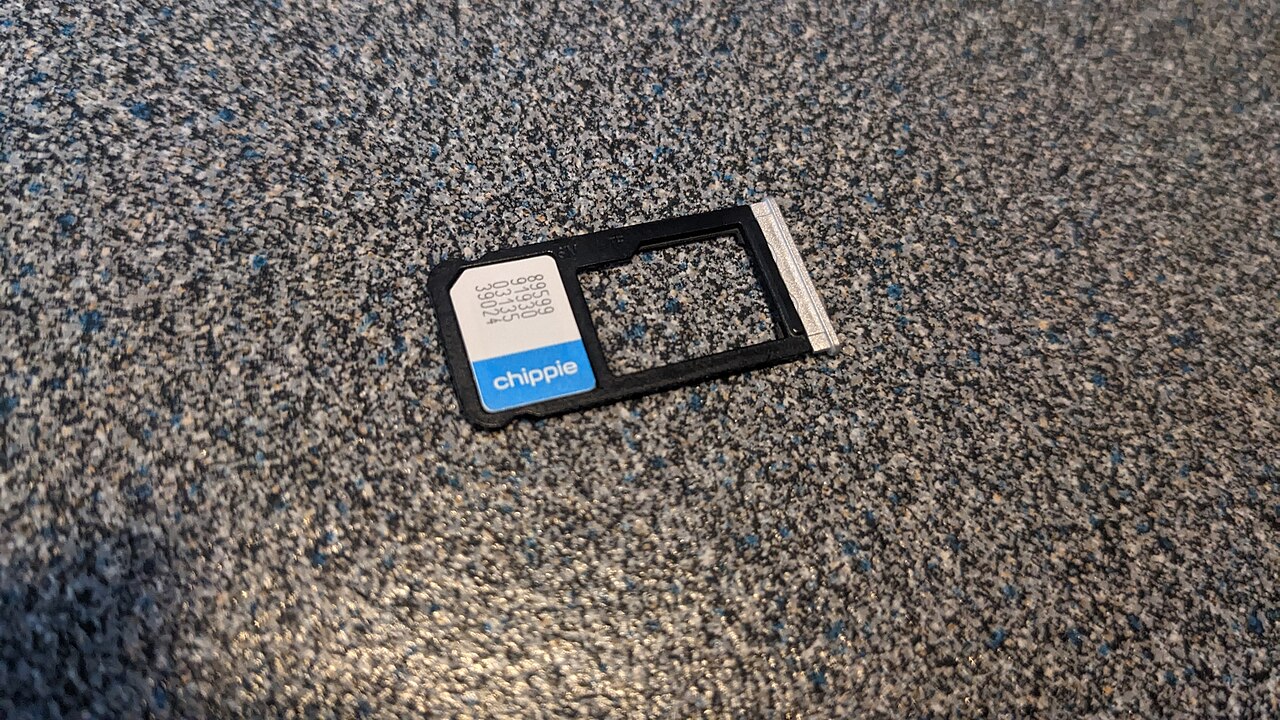
Buy a local SIM card. A local SIM gives you a phone number and access to data, calls, and texts at domestic rates.
Airalo notes that you need an unlocked phone and a SIM-eject tool, plus the patience to find a reputable vendor and keep track of multiple SIM cards. It suits longer stays in one country.
Get a travel eSIM. An eSIM is an embedded SIM built into your device during manufacturing.
It works entirely digitally: you buy a plan for your destination, install it on your device, and connect to a local network when you arrive. Airalo calls it the easiest and most affordable way to avoid roaming fees.
Use a portable Wi-Fi hotspot. A pocket hotspot connects to local networks and shares the connection with your phone, tablet, and laptop. It suits travellers with several devices, though it adds a gadget to charge and carry.
Why a travel eSIM usually wins
A travel eSIM sidesteps roaming completely by giving you a local or regional data plan in your destination country without a physical SIM card. You buy a destination-specific plan, install it digitally, and pay a fixed upfront price, so there are no surprise charges after the trip.
Your regular number stays active for calls, texts, one-time passcodes, and banking alerts on your primary line, while the travel eSIM handles data separately. That split matters, because banks and booking sites send security codes to the number they have on file. Drift Travel advises keeping the home SIM on for calls and texts for exactly that reason.
Setup is simple. Most phones sold in the last few years support eSIM, and Business Traveller reports that most phones since 2018 are compatible.
Every iPhone from the iPhone XS onward can store up to eight eSIMs, with two SIMs active at a time, according to Business Traveller. Airalo likewise notes that you can store up to eight eSIM profiles on your device.
An eSIM cannot be lost or stolen the way a physical SIM can, since it lives inside the phone. Business Traveller points out that you can buy an eSIM before you travel, activate it on a stable internet connection, and be ready to go as soon as you land. The one downside is that moving an eSIM to a new phone takes more steps than moving a physical SIM, since it needs deactivation and reactivation by the provider.
Set up your phone before you leave
The settings matter as much as the plan. If data roaming stays on for your home SIM, your provider may still charge you for background data even with an eSIM installed. Do this setup at home, on Wi-Fi, a day or two before departure.
Install the eSIM early. Drift Travel recommends installing on Wi-Fi before you leave, since most travel eSIMs only start counting validity once they connect to a network at your destination. Installing early costs you nothing and avoids setup stress on arrival.
Turn off data roaming on your home SIM. On an iPhone, go to Settings, then Cellular or Mobile Data, select your primary SIM, and disable the line or its data roaming.
On Android, go to Settings, then Network and internet, then SIM cards, and deactivate the primary SIM. Airalo gives the same paths and warns that turning off data roaming alone may still leave you open to charges for texts and calls.
Set the travel eSIM as your data line. In your phone's mobile data settings, choose the eSIM for mobile data and allow data roaming on that line only.
Drift Travel stresses this split: data roaming off for the home SIM, data roaming on for the travel eSIM. Keep the QR code or installation email until the eSIM is working, in case you need to reinstall it.
Check that your phone is unlocked. Phones bought on a contract are sometimes locked to one network, and a locked phone cannot use a local SIM or a travel eSIM from another provider. Drift Travel advises checking your phone settings or asking your provider before you travel.
Pick the option that fits your trip
Short city break, one country. A travel eSIM with a small data plan is usually the simplest choice. Install it before departure, keep your home SIM on for codes and calls, and use hotel Wi-Fi for heavy downloads.
Multi-country trip. A regional eSIM covers several countries on one purchase, which avoids buying a new plan at each border. For a run through several European cities or back-to-back stops in Asia, one regional plan keeps you connected throughout.
Long stay in one place. A local SIM often gives the best rates for calls and data over weeks or months.
It also gives you a local number for bookings, rentals, and local apps. Buy from a reputable vendor and keep your home SIM safe for the return trip.
Light use, mostly offline. Wi-Fi plus a messaging app may be enough if you only need to check in once a day.
Download offline maps before you leave, turn off mobile data entirely, and use airplane mode with Wi-Fi switched on. This approach pairs well with handling a language barrier while travelling, since translation apps can work from downloaded packs.
Heavy data use. If you stream video, upload large files, or work remotely, consider an unlimited eSIM plan or a portable hotspot. Drift Travel notes that maps, messaging, and social media use far less data than video, so match the plan to your real usage rather than guessing.
Common mistakes that still cause charges
Leaving background data on. Apps refresh, back up photos, and download updates without asking. Turn off automatic downloads and background refresh for data-hungry apps before you travel.
Forgetting the return leg. Roaming can restart if your eSIM expires mid-trip and the phone falls back to your home SIM. Watch your data balance and top up before it runs out.
Assuming "roaming off" means "no charges". Turning off data roaming stops data charges, but texts and calls on your home SIM may still cost money.
Airalo warns that you may still be charged for sending texts, making calls, or even receiving calls. Check with your carrier before you travel.
Frequently asked questions
Do I need roaming if I have a travel eSIM?
No, not for data. The eSIM replaces roaming for mobile data. Keep your home SIM active only for calls and texts if you need codes from your bank, with data roaming off on that line.
Can I use a travel eSIM and keep my number?
Yes. Most phones hold two lines at once.
Your home SIM stays on for calls and texts, and the travel eSIM handles data. Your contacts keep reaching you on your usual number.
What if my phone does not support eSIM?
Buy a local SIM card at your destination, use a portable Wi-Fi hotspot, or rely on Wi-Fi. Check whether your phone is carrier-unlocked first, since a locked phone cannot use another provider's SIM.
The bottom line
Roaming charges come from borrowing a foreign network at a premium, and every avoidance method replaces that borrowing with something cheaper. For most travellers, a prepaid travel eSIM plus the right settings is the simplest fix: install it on Wi-Fi before you leave, turn off data roaming on your home SIM, and set the eSIM as your data line.
Do that, and you land connected, keep your bank codes coming in, and skip the bill shock. Before you pack, also check how to stay safe in a hotel room as a solo traveller and what to do if the airline loses your luggage.
Tags: travel, roaming, eSIM, mobile data
Latest in Travel
- What to Do If Your Luggage Is Lost: Compensation and Next Steps
- What Is the Difference Between a Visa on Arrival and an E-Visa?
- How to Stay Safe in a Hotel Room as a Solo Traveller
- How to Exchange Money Abroad Without Losing Money on Fees
Subscribe to the Rive News newsletter for one practical travel guide each week.
Related stories

The 3-1-1 liquids rule for planes: what each number means
TSA's 3-1-1 rule limits carry-on liquids to 3.4-ounce containers in one quart bag. Where the 2006 rule came from, what counts, and how

Why Is Airplane Food So Bland at Altitude?
A 2010 Fraunhofer study found altitude cuts sweet and salty perception by up to 30 percent. Low humidity, cabin pressure, and noise all

Carry-on size limits: why airlines each set their own
Airlines set their own carry-on limits because the FAA only requires each carrier to have a policy, not one global size. Why 22 x 14 x