
Why do eyes get dry when staring at screens
Key takeaways
- Focusing on a screen cuts how often you blink, so the tear film dries out and eyes feel gritty or sore.
- Glare, close focus, and long stretches without breaks add to the strain on top of dryness.
- Short breaks, deliberate blinking, and a better screen setup relieve most screen-related dryness.

Your eyes stay comfortable because blinking spreads a thin layer of tears across the surface every few seconds. That tear film keeps the front of the eye smooth, moist, and protected. When you stare at a screen, you blink far less often, and the film breaks down between blinks.
The surface dries, and the result is the gritty, burning, tired feeling that many desk workers know well.
This article explains why do eyes get dry when staring at screens, including the blink-rate drop, the role of glare and focus, and the habits and setup changes that help. It is general information, not medical advice. See an eye care professional if symptoms persist or keep you from working.
The blink-rate drop
Blinking is the main reason screen time dries the eyes. Matthew Gardiner, an ophthalmologist with Harvard-affiliated Massachusetts Eye and Ear Infirmary, told Harvard Health that the blink rate falls from about 15 times a minute to five or seven times a minute when people look at a screen. That is less than half the normal rate, and it leaves long gaps between fresh coats of tears.
The University of Iowa Health Care puts the same effect in percentages: people blink about 66 percent less while working on a computer. With fewer blinks, the tear film evaporates and the surface of the eye dries out. The eyes then feel dry, irritated, or sore, and vision can blur until the next full blink restores the film.
The effect builds over hours. Two hours of continuous screen time a day increases the chance of computer vision syndrome, according to Cleveland Clinic. The longer the stretch without a break, the drier the eyes get, and the harder it becomes to refocus when you finally look away.
The same pattern shows up in other body systems under long strain, such as what happens to the body when you hold your breath, where a normal reflex fades under sustained effort.
What the tear film does
The tear film is a thin layer of liquid that coats the front of the eye. Harvard Health describes it as a thin layer that protects the surface of the eye. It has three jobs: it keeps the surface moist, it smooths the surface so light focuses cleanly, and it helps wash away dust and germs.
When the film breaks down, the surface roughens. Light scatters instead of focusing cleanly, which is one reason dry eyes can blur vision for a moment. The exposed surface also feels irritated, which triggers rubbing.
Rubbing feels helpful for a second, but it can inflame the lids and make the dryness worse over the day.
Glare, focus, and screen setup
Blinking is the main cause, but it is not the only one. Glare from windows or overhead lights forces the eyes to work harder and can make people squint or adopt a strained posture to see around reflections. The University of Iowa Health Care lists glare as a separate cause of computer vision syndrome, alongside the blink-rate drop and monitor placement.
Focus strain adds a second layer. Text on a screen is made of pixels with soft edges, unlike print on paper. The eyes must constantly focus and refocus to read pixel text, and low contrast between letters and background adds to the effort.
Gardiner told Harvard Health that eyestrain can also come from focusing up close without the right eyeglass prescription. Anyone who strains to see because reading glasses are overdue can end up with headaches from exhausted focusing muscles.
Screen position matters too. Harvard Health advises sitting about two feet away from a computer screen, with the center of the monitor four to eight inches below eye level. The University of Iowa Health Care suggests a viewing distance of about 20 to 26 inches.
A screen that sits too high forces the eyes wide open, which exposes more of the surface and speeds up drying. A slightly downward gaze lets the lids cover more of the eye between blinks.
Older monitors add flicker to the list. The University of Iowa Health Care notes that many monitors refresh at 60 Hz, a speed that can cause a flicker that makes the screen appear to roll and tires the visual system. Its advice is to reset the refresh rate to 70 to 85 Hz where the monitor supports it.
Modern flat screens flicker less than old CRT displays, but brightness and contrast still matter. The brightness of the screen should roughly match the room, and larger text with good contrast cuts focusing effort.
Who feels it most
The University of Iowa Health Care reports that computer vision syndrome affects 75 percent of people who work on computers, most markedly those over the age of 40. Age matters because focusing ability declines with age, and many people over 40 rely on bifocals. A workstation set up for a younger colleague may force an older worker into a tipped-back head position that strains the neck and shoulders along with the eyes.
Habits that help
The cheapest fix is to blink more on purpose. Notice when you are staring, then take a few slow, full blinks that fully close the lids. That single habit restores the tear film faster than any setting change.
Some people put a small note near the monitor as a reminder until the habit forms.
Breaks are the second fix. Gardiner's advice in Harvard Health is to take a break from electronic screens every 15 to 30 minutes, just for a minute. Look away from the screen, do something else, and refocus on a distant target.
The University of Iowa Health Care gives similar advice: take a vision break every 15 minutes or so, and use eye lubricants when needed.
Artificial tears can help during long screen days. Gardiner recommends using artificial tears several times through the day. They do not have to be preservative-free for most people, though anyone who uses them very often should ask an eye care professional which type suits them.
Do not reach for redness-removing drops as a daily fix, since those treat the look of the eye rather than the dryness.

Set up the workspace
A few setup changes cut the load on the eyes all day. Start with position: screen about 20 to 26 inches away, center four to eight inches below eye level, and a slight downward gaze. Keep the screen free of dust and smudges, since a dirty screen forces the eyes to work harder for the same text.
Tame glare next. Move the monitor so windows are not directly in front of or behind it. Use blinds to cut harsh daylight, and switch to softer lighting if overhead lights reflect off the screen.
A matte screen filter, which Harvard Health prices at about 10 dollars, can cut glare on a phone, tablet, or computer screen. A task lamp that lights paper without shining into the eyes or onto the monitor helps for mixed desk work.
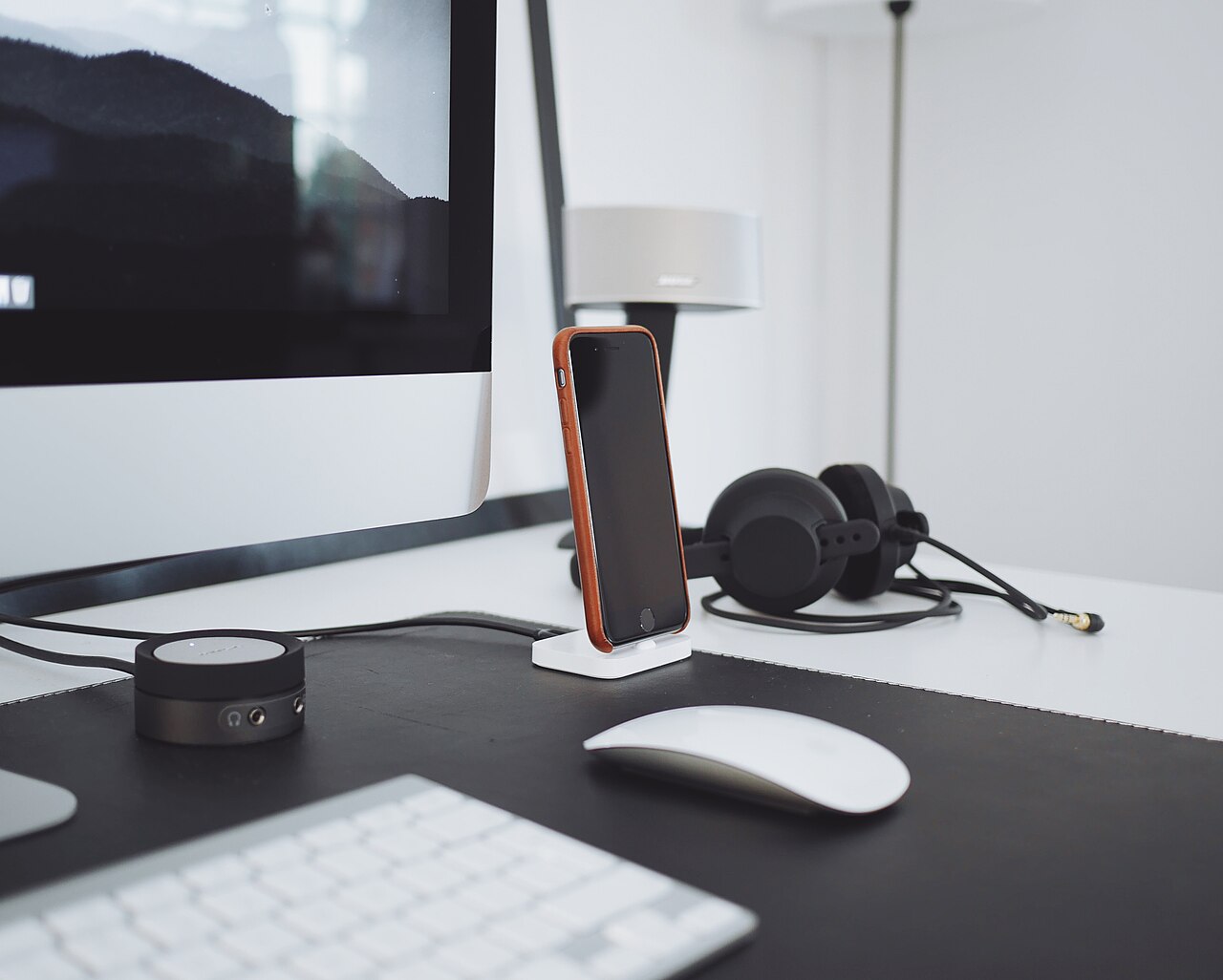
Match brightness to the room and raise the text size until reading feels easy. Bigger text with strong contrast cuts the focusing effort that builds up over hours. If your monitor supports a higher refresh rate, raise it within the maker's limits.
Keep the room air comfortable, and move away from direct vents or fans that blow across the face. The same attention to small physical habits helps elsewhere too, such as why muscles shake after a hard workout, where fatigue shows up in the body before it shows up in the numbers.
When to see a professional
Most screen dryness clears with breaks, blinking, and a better setup. Book an eye exam if symptoms persist for more than a few days, if one eye is much worse than the other, or if you notice discharge, light sensitivity that is new, or vision changes that do not clear after blinking. An eye care specialist will ask about daily screen hours and check for underlying dry eye or vision problems.
Do not push through severe pain or sudden vision loss. Those symptoms call for same-day care, not a routine appointment. Sudden changes in vision are never a wait-and-see problem.
For milder but stubborn dryness, the clinician may suggest prescription drops, lid care, or a different lens prescription for computer work.
Why do my eyes water if they are dry?
Watery eyes can be a reflex response to dryness. When the surface gets irritated, the eye can flood with watery tears that do not coat as well as normal tears. The result is eyes that water and still feel dry, which confuses many people.
Does blue light cause dry eyes?
Blue light gets much of the blame, but the blink-rate drop is the stronger explanation for dryness. Glare and close focus also contribute. Blue-light filters may ease comfort for some people, but they do not replace blinking and breaks.
Do I need special computer glasses?
Some people benefit from glasses tuned to their screen distance, especially if they use bifocals or hold a strained posture. An eye care professional can judge whether computer glasses suit your setup after an exam.
How fast should breaks help?
Many people feel relief within a day or two of regular breaks, deliberate blinking, and a better setup. If nothing improves after a few days of consistent changes, book an exam rather than waiting weeks.
Outlook
Screen dryness comes mostly from blinking less while you concentrate, with glare and close focus adding to the load. The fix is simple but needs repetition: blink fully, break every 15 to 30 minutes, and set the screen at the right height and distance. If symptoms persist, or if vision changes, an eye exam is the next step.
Your eyes will tell you quickly when the routine is working.
Tags: eye health, screens, dry eyes, computer vision
Latest in Health
- Why muscles shake after a hard workout
- What happens to the body when you hold your breath
- Why brain freeze happens and whether pressing your tongue helps
- Why feet swell after standing all day
Subscribe for one practical health explainer each week.
Related stories

ADHD linked to fourfold dementia risk in Pitt study of 187,000 adults
Adults with ADHD face four times the risk of dementia, a University of Pittsburgh study of 187,000 adults published in JAMA Psychiatry

Why Do Athletes Get Cramps Despite Drinking Water?
Muscle cramps strike even well-hydrated athletes because sweat drains electrolytes that plain water cannot replace. Here is why water alone

Do bananas actually prevent muscle cramps?
A medium banana has 422 mg of potassium, but the evidence says it cannot stop cramps. Here is what the research shows, and what actually