
How dual eSIM works on iPhone: two active lines explained
Key takeaways
- iPhone 13 and later models can keep two eSIMs active at the same time. Two numbers ring and text on one phone.
- Most eSIM iPhones can store eight or more eSIM profiles. Only two can be active at once. The rest wait in Settings.
- Older models (iPhone XS through 12) run dual SIM too, but pair one eSIM with a physical nano-SIM instead of two eSIMs.
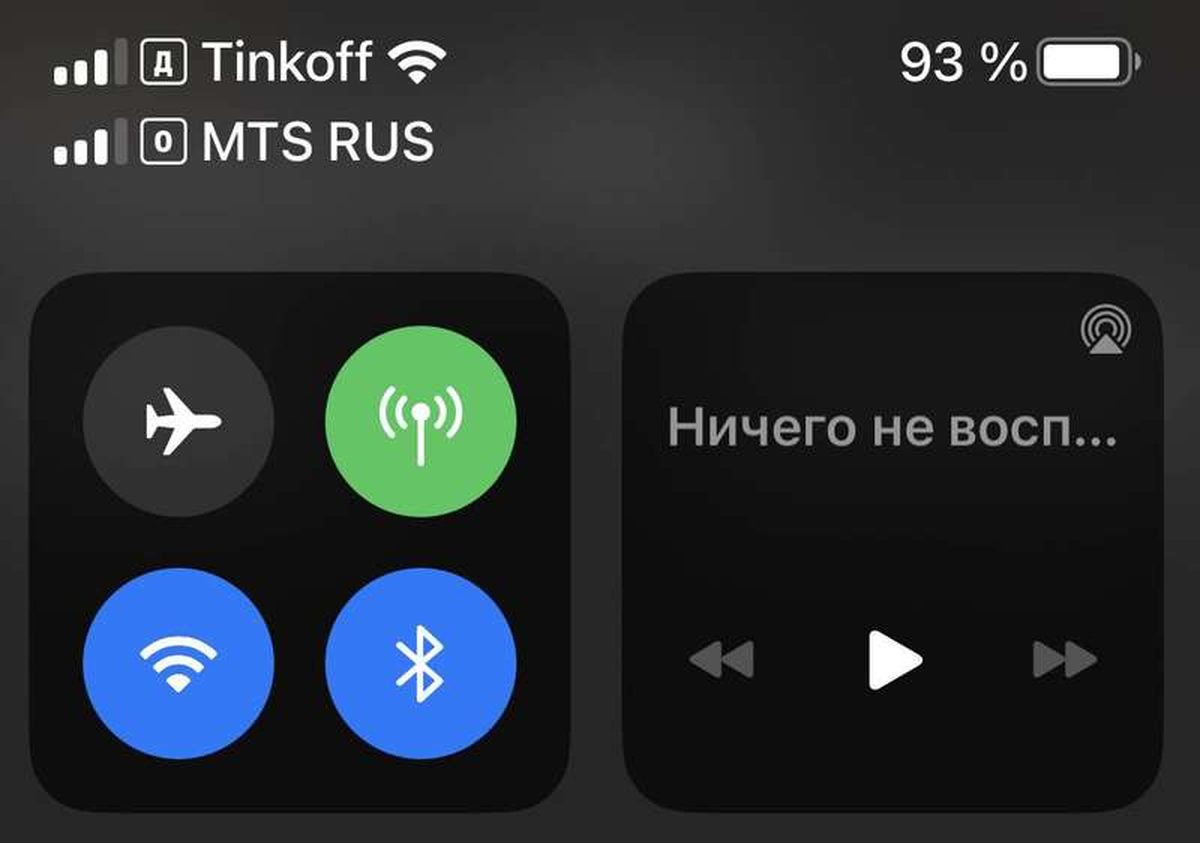
The eSIM settings screen on an iPhone 13 Pro Max, where stored plans are listed and toggled. Photograph: Kramiks/Wikimedia Commons
Image Credits: Wikimedia Commons
An eSIM is a digital SIM built into the phone. Dual eSIM means two of them work at the same time. On a supported iPhone, that gives you two active phone numbers with no plastic SIM cards at all.
Apple describes the eSIM as an industry-standard digital SIM that activates a carrier plan without a physical card, per its support page. This article explains dual eSIM on iPhone in plain terms: what it is, how it works, which iPhones support it, how to set it up and switch lines, and the limits worth knowing.
What dual eSIM actually means
Dual SIM is the older idea: one phone, two numbers. For years that meant one physical SIM card plus one eSIM, or two physical SIMs on some regional models.
Dual eSIM drops the plastic entirely. Both active lines are eSIM profiles stored on the phone's built-in chip. Apple notes that a single iPhone can manage eight or more eSIMs. That is far more lines than any person uses at once.
The key distinction is stored versus active. Stored eSIMs are like cards in a wallet. They sit on the phone, inactive, until you need them.
Active eSIMs are the two on the table. They are registered on their networks and can take calls and texts. As Travel eSIMple puts it, turning a line off does not delete it. You can turn it back on later.
How dual eSIM works on iPhone
When two eSIMs are active, your iPhone registers both with their carriers. Both numbers can receive calls and texts. You choose which line handles cellular data. You can split duties, for example one eSIM for data and the other for calls and texts.
Apple's setup flow lets you label each line so they stay straight. You can name them Personal and Work, or Home and Travel. You also pick a default line for outgoing calls. You can change these choices in Settings under Cellular at any time.
Switching between stored eSIMs takes seconds and no carrier visit. Open Settings, go to Cellular, tap the line you want, and turn it on. If two lines are already running, the phone turns one off first. Only two can be active at once.
One more practical point: your carrier must support eSIM in the first place. Apple states this plainly on its support page, and it is the step people trip over most. An eSIM-capable phone does nothing if the carrier only issues plastic.
Which iPhones support two active eSIMs
The cutoff is the iPhone 13. Apple's own support documentation confirms that iPhone 13 models and later support Dual SIM with two eSIMs.
That leaves a clear split by generation:
- iPhone 13 and later (including 14, 15, 16, and 17 families): two eSIMs active at the same time. US models from the iPhone 14 onward have no SIM tray at all.
- iPhone XS, XR, 11, 12, and SE (2nd generation): dual SIM works, but only one eSIM can be active, paired with a physical nano-SIM.
- iPhone SE (3rd generation): supports two active eSIMs, like the 13 series.
Regional exceptions exist. In mainland China, only newer models like the iPhone 17e, iPhone Air, and iPhone 18 Pro series support eSIM. Certain models sold in Hong Kong and Macao use two nano-SIM cards instead. Apple lists these exceptions on the same support page.
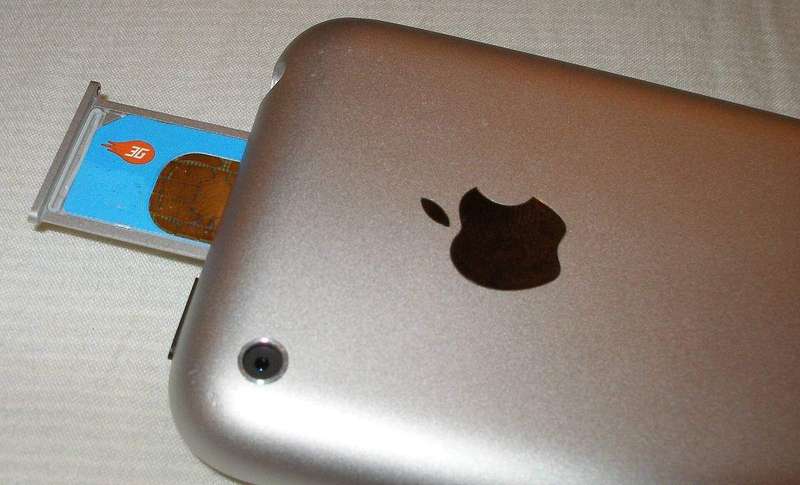
The physical SIM slot on an older iPhone. US models from the iPhone 14 onward dropped the tray entirely and went eSIM-only, according to Holafly's iPhone compatibility guide. Photograph: Aido2002/Wikimedia Commons
Image Credits: Wikimedia Commons
How to set up a second eSIM
Apple offers several activation paths, and your carrier decides which ones are available to you. The support page lists eSIM Carrier Activation, a QR code from the carrier, the carrier's app, manual entry of eSIM details, and transfer from a nearby iPhone.
The most common path for a second line is the QR code. Your carrier sends it by email or in its app. You point the iPhone camera at it. The Cellular Plan Detected prompt walks you through the rest. On iOS 17.4 and later, you can also tap and hold a QR code received in an email or browser page to add the eSIM directly.
If you are upgrading phones, the transfer route is smoother. With eSIM Quick Transfer, supported carriers let you move the plan from your old iPhone to the new one without calling anyone. Apple says both devices need Bluetooth on. Your Apple Account must be signed in. The old phone must be unlocked and nearby.
Some carriers also let you convert an existing physical SIM to an eSIM on the same iPhone. That is the tidy way to free up the tray and go fully digital on models that still have one.
Switching lines and managing data day to day
Once both lines are live, daily management is all labels and defaults. Give each line a clear name the moment you add it. Future you, staring at two identical carrier names, will be grateful.
Pick one line for cellular data and leave it there unless you are traveling. Many people keep their home line for calls and texts while a local travel eSIM handles data abroad. You can also allow cellular data switching. That lets the phone use the other line's data if your primary line loses coverage, though carriers may charge for that.
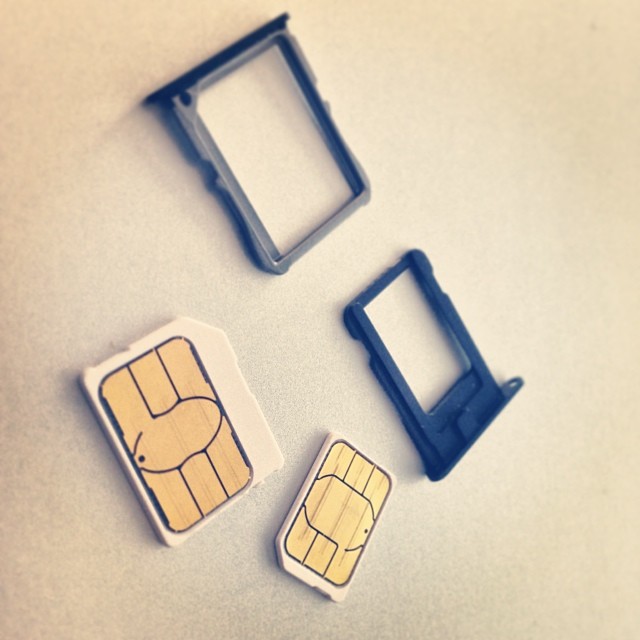
The physical SIM card sizes that dual eSIM makes irrelevant: two digital profiles replace these entirely on supported iPhones. Photograph: Tony Webster/Wikimedia Commons
Image Credits: Wikimedia Commons
Turning a line off is not the same as deleting it. A stored eSIM stays on the phone and can be reactivated whenever you want. That is exactly how people juggle home, work, and travel plans. Holafly's guide notes you can keep up to eight profiles stored and swap among them in Settings.
One thing to watch: iMessage and FaceTime register with phone numbers per line. If you swap your default line, check that messages are still sending from the number you intend.
Limits worth knowing
Two active lines is a hard ceiling. A third eSIM can be stored, but it stays parked until you switch one of the active pair off. No iPhone runs three lines at once.
Your carrier remains the gatekeeper. Not every carrier supports eSIM, and not every carrier supports every activation method.
Apple's support page ends its requirements with "see your carrier for details." That is corporate-speak for "we can't fix this part."
Travelers should also check regional rules before buying a phone abroad. Models sold in China, Hong Kong, and Macao play by different SIM rules. A phone bought there may not behave like the one sold at home. Confirm eSIM support for your specific model and region before you count on dual eSIM for a trip.
Frequently asked questions
Can I use two eSIMs from two different carriers?
Yes. The two active eSIMs are independent profiles. One can be from your home carrier and the other from a travel eSIM provider. This is the most common dual-eSIM setup for international trips.
Will both numbers ring at the same time?
Both lines stay registered, so calls and texts can reach either number. You answer on whichever line the call comes in on. Your default line handles the calls you place.
Do I need Wi-Fi to set up an eSIM?
Usually yes. Apple asks you to connect the new iPhone to Wi-Fi before activating. In some countries and regions, eSIM-only iPhone models can activate without a Wi-Fi network, per the support page.
Can I turn my physical SIM into an eSIM?
If your carrier supports it, yes, on the same iPhone. Apple's documentation lists physical-to-eSIM conversion as one of the standard setup paths. After conversion, you can remove the plastic SIM.
The bottom line
Dual eSIM on iPhone means two digital lines active at once, with room to store eight or more profiles for travel, work, and carrier-hopping. iPhone 13 and later get the full version. Older models do dual SIM with one eSIM plus a physical card.
The setup takes minutes once your carrier cooperates. Daily life is just labels and a default line. Check carrier eSIM support first, name your lines clearly, and keep a travel profile stored for your next trip.
Tags: eSIM, iPhone, dual SIM, Apple, mobile plans
Rive News is the research desk behind this explainer series, covering tech, health, science, and everyday questions with sourced reporting.
Latest in Tech
- eSIM: What It Is, How It Works, and Why Travelers Use It
- Why Is Your eSIM Not Working Abroad? How to Fix It
- How to transfer an eSIM to a new iPhone or Android phone
- How to Check If Your Phone Supports eSIM in 30 Seconds
Subscribe for one evidence-based explainer in your inbox every morning.
Related stories

Apple plans two October launches: smart home hub, OLED MacBook Pro
Apple set October 13 for a smart home launch with a new hub, Apple TV 4K and HomePod mini, then October 27 for OLED MacBook Pro models

How to Check If Your Phone Supports eSIM in 30 Seconds
Dial *#06# and look for an EID number to confirm eSIM support in under 30 seconds. This guide also walks through the iPhone and Android

eSIM vs iSIM: what is the difference?
An eSIM is a dedicated chip on the phone's board, while an iSIM lives inside the processor itself. Qualcomm's Snapdragon 8 Gen