
eSIM QR Code Not Working? 7 Fixes That Actually Work
Key takeaways
- Most travel eSIM QR codes are one-time use. Once scanned, deleted, or partly installed, the original code is burned for security.
- Some carrier QR codes expire 24 to 48 hours after issue. A dead code cannot be revived on the phone.
- When scanning fails, contact the carrier for an eSIM reissue. Keep your EID, IMEI, and order email ready.

A visitor scans a QR code with a smartphone camera. Photograph: U.S. Fish and Wildlife Service Headquarters/Wikimedia Commons
Image Credits: Wikimedia Commons
An eSIM QR code is not a magic link. It is a one-time download ticket your carrier issues for a single eSIM profile.
When the phone cannot read or accept it, the cause usually falls into one of two buckets: the code itself is dead, or the phone is blocking the download. This article takes a closer look at eSIM QR failures: why codes fail, the difference between expired and one-time-use codes, phone-side settings that block activation, and the fixes that actually work.
Why eSIM QR codes fail
A QR code for eSIM activation contains the address of your carrier's activation server (the SM-DP+ address) plus a unique activation code. The phone reads it, reaches out to the server, and downloads your personal profile.
Anything that breaks this chain stops activation. The code may be invalid, the server unreachable, or the phone may refuse the download because of a lock or a setting. Knowing which link broke decides the fix.
Error messages are usually blunt but honest. "This code is no longer valid" means the carrier's system has retired the code. "Cellular Plan Cannot Be Added" on older iOS versions means the same thing in plainer terms.
Expired codes and one-time-use codes
The single most common cause is simple: most travel eSIM QR codes are issued for one-time use. Once the code has been scanned to download a profile, it is burned for security. Then the same profile cannot be duplicated across devices.
If you started the installation and cancelled halfway, the code may already count as used. If you deleted the eSIM profile from your phone, the original QR will not reinstall it. Trying the same code on a second phone gets rejected by the carrier system.
Time limits add a second trap. Some carrier QR codes are only valid for 24 to 48 hours after issue. So a code saved from days or weeks ago may simply have expired, per the s3semi troubleshooting guide.
The hard truth: nothing on your phone can revive a QR code once the provider marks it invalid. Re-scanning it ten times will not help. Manual entry with the same dead code fails the same way.

The QR code your carrier sends is usually a single-use ticket. Photograph: Tomsimon67/Wikimedia Commons
Image Credits: Wikimedia Commons
Phone-side problems that block activation
Before blaming the code, rule out the phone. A carrier-locked phone will reject an eSIM profile from another provider entirely.
Check this first on iPhone under Settings, then General, then About. The Carrier Lock line should read "No SIM restrictions." If it names a carrier, no QR code from anyone else will install.
You also need a live internet connection to download the profile. The QR code scan itself needs no signal, but the download that follows does. Home Wi-Fi is ideal. Installing before you travel avoids the flaky airport Wi-Fi trap.
On Samsung phones, two extra gremlins show up. A signed-out or glitchy Samsung account can interfere with activation. An enterprise-managed device with Knox policies may block eSIM installation outright. The latter has no DIY fix. It belongs to your IT department.
7 fixes that actually work
Work through these in order. Most dead-QR situations resolve at fix 1 or fix 7.
1. Confirm the code is still alive. Check your purchase email for an expiry date. If the code arrived days or weeks ago, suspect expiry first. If it was already scanned once, on any device, assume it is burned.
2. Enter the details manually. A camera that will not focus on the QR is not a dead code. On iPhone, go to Settings, then Cellular, then Add eSIM, and tap Enter Details Manually. Type in the SM-DP+ address and activation code from your carrier's email exactly as printed.
3. Check carrier lock and compatibility. Confirm "No SIM restrictions" on iPhone. Check that your phone model actually supports eSIM before spending time on fixes. A locked phone needs unlocking from your home carrier, not a new QR code.
4. Toggle airplane mode and restart. This is the oldest trick because it works. Airplane mode on, wait ten seconds, airplane mode off, then restart the phone. A stale network registration often clears with a fresh handshake.
5. Try the carrier app instead. Some carriers let you download the profile directly from their app, bypassing the QR entirely. Log in, find the eSIM or line-management section, and follow the install prompt.
6. Re-enter the APN after install. On Android especially, a profile that installs but shows signal with no internet usually needs the carrier's APN values typed in. Keep the carrier's setup email handy and compare each field character by character.
7. Ask for an eSIM reissue. If the code is expired or burned, this is the only fix that matters. Contact the carrier or provider and ask specifically for an "eSIM reissue" or replacement QR code, not the same code again. Have your order number or original activation email, phone model, and EID ready. Most providers issue a fresh code at no charge while the plan is still valid. Reactivation usually completes within minutes, though carrier systems can take a few hours to fully sync.
Frequently asked questions
Can I reuse an eSIM QR code on a second phone?
Usually no. Most eSIM QR codes are single-use, so scanning one that already downloaded a profile will fail. Ask the provider for a fresh code for the second device.
What is the SM-DP+ address in my carrier's email?
It is the network address of your carrier's eSIM activation server. You type it in when choosing Enter Details Manually instead of scanning the QR. It does nothing without the matching activation code.
Will deleting the eSIM profile free up the QR code again?
No. Deleting the profile removes it from your phone, but the carrier still marks the original code as used. You will need a reissued QR from the provider to reinstall.
Does a network settings reset delete my eSIM?
No. Resetting network settings clears Wi-Fi passwords, Bluetooth pairings, and APN values, but installed eSIM profiles stay in place. You will need to re-enter the APN afterward.
The bottom line
A dead eSIM QR code is almost never a phone problem. It is an expired or already-used code, and the fix is a fresh one from the provider.
Before you write to support, run the checklist: code still within its validity window, phone unlocked, good internet for the download, manual entry attempted. Then ask for an eSIM reissue with your EID and order details in hand.
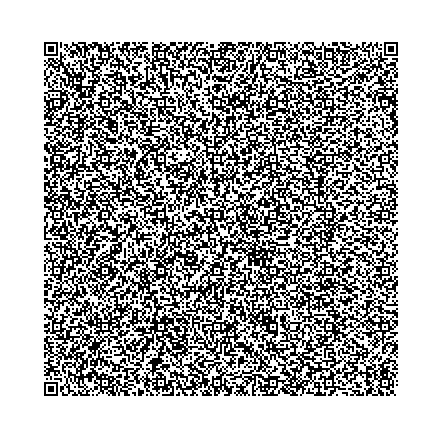
The block pattern of a QR code. The activation code inside is what your phone downloads the profile with. Photograph: Bobmath/Wikimedia Commons
Image Credits: Wikimedia Commons
Rive News is the research desk behind these explainers. We verify every claim against public sources before publishing.
Latest in Tech
- How to Check If Your Phone Supports eSIM in 30 Seconds
- eSIM: What It Is, How It Works, and Why Travelers Use It
- Why Is Your eSIM Not Working Abroad? How to Fix It
- How to transfer an eSIM to a new iPhone or Android phone
Get one practical explainer in your inbox every morning. Subscribe to the Rive News newsletter.
Rive News follows a public corrections policy. If you spot an error, tell us and we will fix it visibly.
Related stories

Apple plans two October launches: smart home hub, OLED MacBook Pro
Apple set October 13 for a smart home launch with a new hub, Apple TV 4K and HomePod mini, then October 27 for OLED MacBook Pro models

How to Check If Your Phone Supports eSIM in 30 Seconds
Dial *#06# and look for an EID number to confirm eSIM support in under 30 seconds. This guide also walks through the iPhone and Android

eSIM vs iSIM: what is the difference?
An eSIM is a dedicated chip on the phone's board, while an iSIM lives inside the processor itself. Qualcomm's Snapdragon 8 Gen