
NFC tap to pay: what it is and how it works
By Rive News / Research desk | Rive News / Published October 29, 2026 at 9:00 AM PKT
Key takeaways
- NFC is a short-range radio link at 13.56 MHz that works only within a few centimetres.
- A tap sends a device token plus a one-time cryptogram, not your real card number.
- The issuing bank checks that cryptogram and approves or declines the payment within seconds.

[A shopper paying with her phone at a checkout. Photograph: epSos.de/Wikimedia Commons]
Image Credits: Wikimedia Commons
NFC, short for near-field communication, is a wireless standard that lets two devices exchange data when they are held very close together. A phone or card and a payment terminal talk over a radio link at 13.56 MHz, and the working distance is about 4 centimetres or less. That short range is deliberate.
It means a payment starts with a clear physical act, holding the device against the reader, rather than a broadcast that reaches across a room.
This article explains what NFC is, how a tap travels from your phone to your bank, why your real card number stays home, what changes between cards, phones and watches, and when a tap fails or asks for more.
What is NFC?
NFC grew out of radio-frequency identification, the older technology behind many access cards and transit passes. The NFC Forum, formed in 2004, helped define the standards that let devices from different makers work together. Under the ISO/IEC 14443 standard for proximity cards, an NFC link can run at data rates from 106 to 848 kbit/s, according to the near-field communication reference.
That speed sounds slow next to Wi-Fi, and it is. A payment does not need much data. It needs a small, well-protected exchange, and NFC is built for exactly that kind of short, simple job.
A terminal acts as the active side of the exchange. It generates a radio field and waits for a device to enter it. A contactless card has no battery of its own.
Its chip draws power from the terminal's field, which is why a plain plastic card can still answer a reader. A phone is different. Its NFC chip is powered by the phone, and the phone's wallet software decides what, if anything, gets sent.
NFC has three modes, and payments use only one of them. In card emulation mode, the phone behaves like a contactless card. In reader mode, the phone reads a passive tag, such as a poster or a label.
In peer-to-peer mode, two powered devices exchange data directly. Tap to pay is card emulation, with a secure chip doing the sensitive work.
How a tap travels from phone to bank
The exchange starts before any money moves. When you hold an unlocked phone near a terminal, the terminal and the phone agree that they are ready and settle the payment details, such as the amount and the currency. On a phone, the wallet usually asks for a fingerprint, a face check, or a passcode first.
That check is the wallet's way of confirming that the person holding the phone is allowed to spend from it.
Next, the phone's secure element, a dedicated chip kept apart from the main operating system, prepares the payment credentials. It does not hand over your card number. It hands over a device-specific token, a stand-in number tied to that phone, together with a cryptogram that is valid for that single tap.
The cryptogram is the part that stops a captured tap from being replayed later, because the bank tracks which cryptograms have already been used and rejects repeats.
The terminal then forwards that token and cryptogram through its payment processor to the card network. The network maps the token back to your real account and passes the request to your issuing bank. The bank checks the cryptogram, checks the account, and returns an approval or a decline.
The whole round trip is described by payment guides as taking about one to two seconds, and the terminal shows the result as a tick or an error.
No internet connection on the phone itself is needed for the tap. The terminal supplies the route to the bank. That is one reason tap to pay keeps working in a shop with weak mobile signal, as long as the terminal itself is connected.
Why your real card number stays home
The oldest card payment method, the magnetic stripe, broadcast the same static card data on every swipe. Anyone who copied that data could reuse it. Chip-insert payments improved on this by producing a fresh code for each transaction under the EMV standard, named for Europay, Mastercard, and Visa, the three companies that created it.
Tap to pay uses the same EMV contactless standard, with tokenization added on top for phones and watches. Tokenization replaces the card number with a token that is useful only in a narrow context, such as one device or one presentation mode. If a token leaks, it does not hand an attacker your card number, and it cannot simply be replayed at another terminal.
There are limits to this protection, and they matter. Tokenization does not stop someone from using a stolen phone that is already unlocked, and it does not remove the need to watch your statements. The security gain is specific.
It shrinks what travels over the air and what a shop's systems ever hold, so a single intercepted tap or a breached terminal yields far less than a copied card number would.
Contactless cards are the weaker branch of the same family. A card has no biometric check of its own, so small-value taps often go through with no PIN or signature. That convenience is why many countries cap contactless card payments, while a phone tap, guarded by a fingerprint or face check, is usually treated differently.
Cards, phones and watches: what changes
A contactless card carries its credentials in its own chip and antenna. Tap it, and it answers the terminal directly. There is no screen, no unlock step, and no wallet app in the middle.
A phone adds two layers. The first is the wallet, which stores the token and asks for authentication before releasing it. The second is the secure element, which keeps the credentials isolated from the rest of the phone's software.
When the same wallet pays on a website or inside an app, no NFC is involved at all. That payment runs as an online card transaction instead.
A watch or a ring works like a phone in miniature. The wallet on the wearable is unlocked by the wearer in advance, often by entering a PIN when the watch is put on, and then it taps the same way a phone does. The terminal cannot tell, and does not need to tell, which kind of device answered it.
It only checks the token and the cryptogram.
Transit passes are a close cousin. Systems such as London's Oyster card use the same contactless principles to store value or a travel pass, and many now accept bank cards and phones directly. The underlying idea is identical.
A short radio exchange proves something about the device, and a back-end system decides whether to let it through.
When a tap fails or asks for more
A tap can fail for ordinary reasons. The phone may be locked, or its wallet may not be set as the default payment app. The card behind the token may have expired, or the bank may decline the transaction for its own reasons, such as a suspected fraud flag or insufficient funds.
Moving the phone a centimetre or two, or holding it flat against the reader's marked area, often fixes a weak coupling between the antennas.
Sometimes the terminal asks for more than a tap. Higher amounts, unusual locations, or a run of consecutive contactless payments can trigger a PIN, a signature, or a device unlock. These are issuer and market rules, not faults in the radio link.
They exist because a tap with no check at all would be too easy to abuse if a card or phone were lost.
A lost phone deserves a quick response even so. Removing the card from the wallet, or suspending it through the bank, kills the token. The token is tied to that device, so suspending it does not cancel the physical card.
It only stops that one device from paying with it.
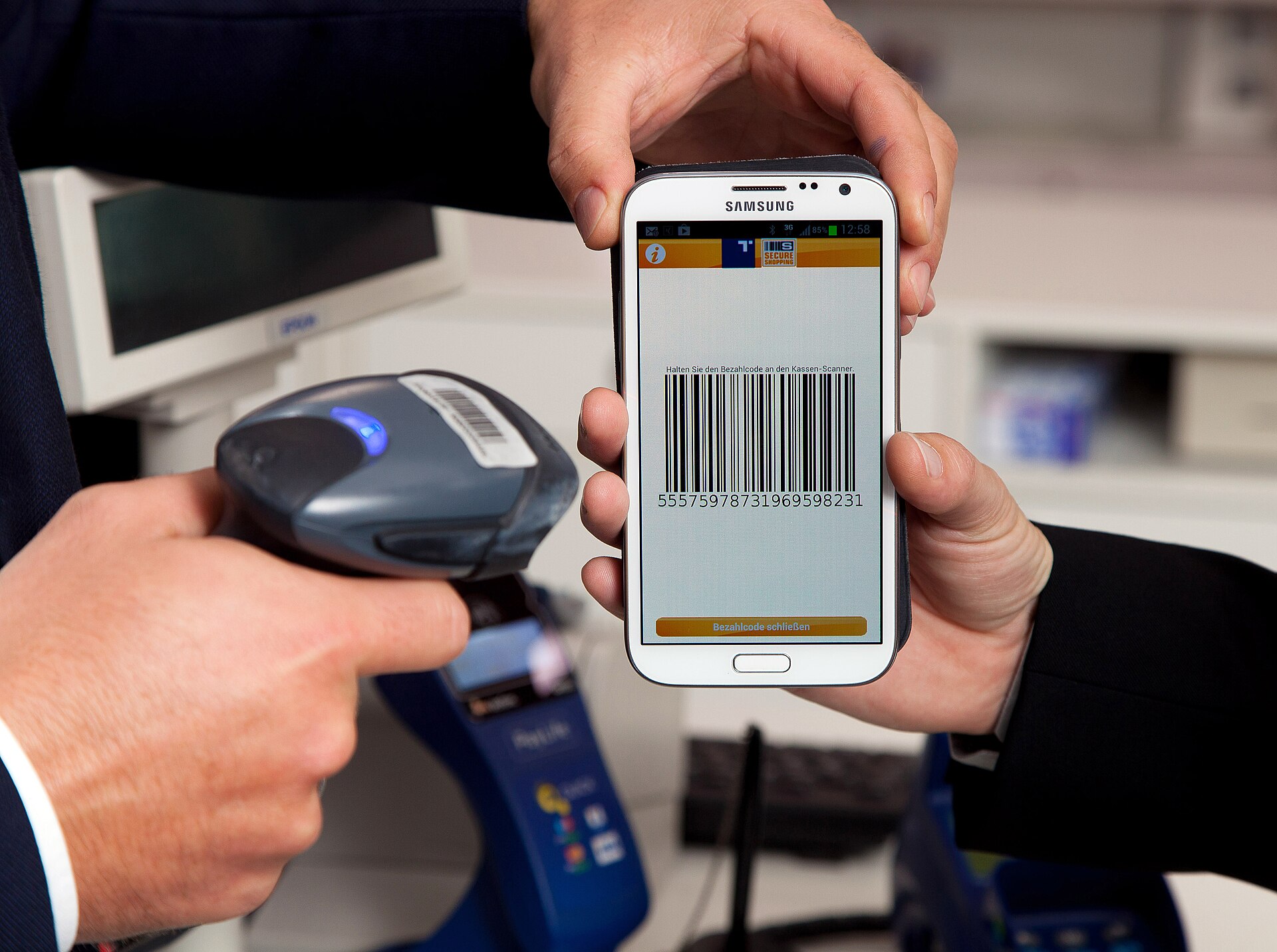
[A mobile payment shown on a phone screen. Photograph: the mobile payment]
Image Credits: Wikimedia Commons
Frequently asked questions
Does tap to pay need an internet connection on my phone?
No. The tap itself uses the terminal's connection to reach the bank. Your phone only needs NFC switched on, a wallet set up, and, for most wallets, an unlocked screen.
Can someone steal my card details by standing near me with a reader?
The short range makes this hard, and the data on offer is limited. A phone sends a token and a one-time cryptogram, not the card number, and a captured cryptogram cannot be reused for a fresh payment.
Why does my card sometimes ask for a PIN after several taps?
Issuers and local rules require a stronger check after a run of contactless payments or above a value limit. The PIN proves the card is still in the owner's hands, which a tap alone cannot show.
Is tap to pay as safe as inserting the chip?
Yes, in the sense that both use EMV cryptography with a fresh code per transaction. Phone taps add tokenization and a biometric or passcode check, which a chip insert does not always include.
The bottom line
NFC is a deliberately short leash. A 13.56 MHz link across a few centimetres carries a token and a one-time code to the terminal, the network maps that token to your account, and the bank approves or declines within seconds. Your real card number never makes the trip.
If a tap fails, check the lock, the default wallet, and the reader position before assuming the card is at fault, and suspend a lost device's token right away.
Tags: NFC, tap to pay, mobile payments
Rive News's research desk covers everyday technology in plain language, checking each claim against public documentation before publication.
Related
- What a digital wallet is and how it differs from a banking app
- What a passkey is and how it works in plain English
- What cloud storage is and where your files actually go
- What end-to-end encryption means in plain English
Subscribe to Rive News for one plain-English technology explainer each weekday.
Rive News publishes explainers based on public sources; corrections are noted on the article when a sourced fact changes.
Related stories

Apple plans two October launches: smart home hub, OLED MacBook Pro
Apple set October 13 for a smart home launch with a new hub, Apple TV 4K and HomePod mini, then October 27 for OLED MacBook Pro models

How to Check If Your Phone Supports eSIM in 30 Seconds
Dial *#06# and look for an EID number to confirm eSIM support in under 30 seconds. This guide also walks through the iPhone and Android

eSIM vs iSIM: what is the difference?
An eSIM is a dedicated chip on the phone's board, while an iSIM lives inside the processor itself. Qualcomm's Snapdragon 8 Gen