
Why your phone says no SIM card with one inside
By Rive News / Research desk | Rive News / Published October 26, 2026 at 9:00 AM PKT
Key takeaways
- The message means the phone cannot read the SIM, not that the slot is empty.
- Loose seating, dirt, tray damage, and software glitches cause most cases.
- A swap test with another phone or SIM shows whether the phone or the card is at fault.
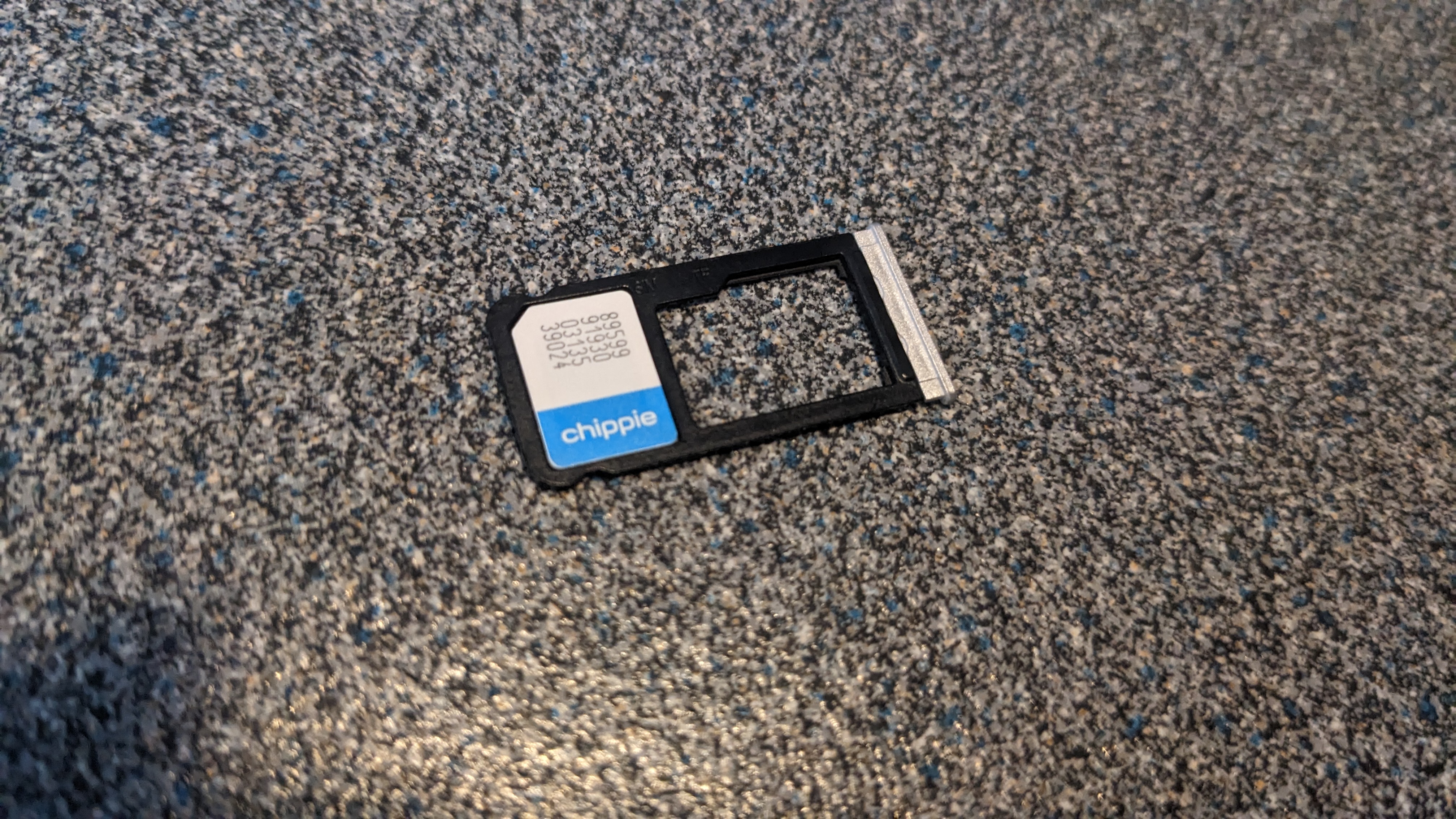
[A nano SIM card with its gold contacts visible.] Photograph: the subject
Image Credits: Wikimedia Commons
A phone that says "no SIM card" while one sits in the tray is not lying about the tray. It is reporting that it cannot read the card inside it.
This article explains why that happens, including seating, dirt, tray damage, software faults, and carrier problems. It also gives a step-by-step order for finding the cause without wiping the phone first.
What the message really means
A SIM card is a small chip with gold contacts. The phone's SIM reader presses tiny pins against those contacts to read the card's identity.
If the pins cannot make clean contact, the phone sees nothing. It then shows the same message it would show for an empty tray.
Software can cause the same result. A crashed modem process or a corrupt network setting can stop the phone from asking the reader at all.
Carrier provisioning is a third path. A card that is not active on the network, or a phone locked to another carrier, may also fail to register.
The message alone cannot separate these causes. Testing in a careful order can, and that order matters.
Start with a restart
Restart the phone first, before opening the tray. Samsung's support guide lists a restart as the first fix for a Galaxy showing this error, since it clears temporary software glitches.
Hold the power button, choose restart or power off, and wait for a full boot. Check whether the message returns once the phone settles on the home screen.
Toggle airplane mode on and off if the message persists. Wait 30 seconds with airplane mode on, then turn it off, so the modem re-registers with the network.
These steps cost nothing and rule out a large group of software faults. If the message clears here, the cause was likely a temporary glitch.
Reseat the card properly
Power the phone off before touching the tray. Removing a tray while the phone is on can confuse the reader and, rarely, damage the card.
Use the eject tool or a straight paperclip, and pull the tray out gently. Note how the card sits, including which way the cut corner points.
Inspect the card for scratches, stains, bends, and cracks. Inspect the tray for bends, cracks, and dirt in the slot where the card sits.
Clean the gold contacts with a soft, dry cloth. Samsung's guide advises exactly that, and warns against water or harsh cleaning on the card.
Place the card flat in the tray, with the contacts facing the right way for your model. Push the tray fully home until it sits flush with the phone's edge.
A tray that sticks out slightly is a clue. It may mean the card is misaligned, the tray is bent, or the wrong SIM size is in the slot.
The swap test decides phone or card
Borrow a second phone and a second SIM for this test. It is the fastest way to separate a phone fault from a card fault.
Put your SIM in the other phone first. If it works there, your phone or its tray is the likely problem.
Put the other SIM in your phone next. If that SIM also fails, the phone side is confirmed, and the card is probably fine.
If your SIM fails in both phones, the card itself is likely damaged or deactivated. A carrier shop can usually replace a faulty SIM while keeping your number.
Write down the results before moving on. Guessing at this stage leads to wasted resets and needless phone repairs.
Tray damage is easy to miss
A bent tray is a common cause after a drop. The tray may look fine at a glance, yet sit a fraction of a millimetre too high for the pins to touch.
Check the tray edge against the phone body for gaps. Check that the card does not rock or lift when the tray is out of the phone.
Do not bend a tray back with force. A weakened tray can snap inside the slot, turning a simple fix into a repair-shop job.
A cracked reader inside the phone is harder to see. If the tray looks perfect and the swap test points to the phone, the reader pins or their solder joints may be damaged.
Water damage can also corrode the reader over time. Corrosion may appear weeks after the phone got wet, long after the screen dried out.
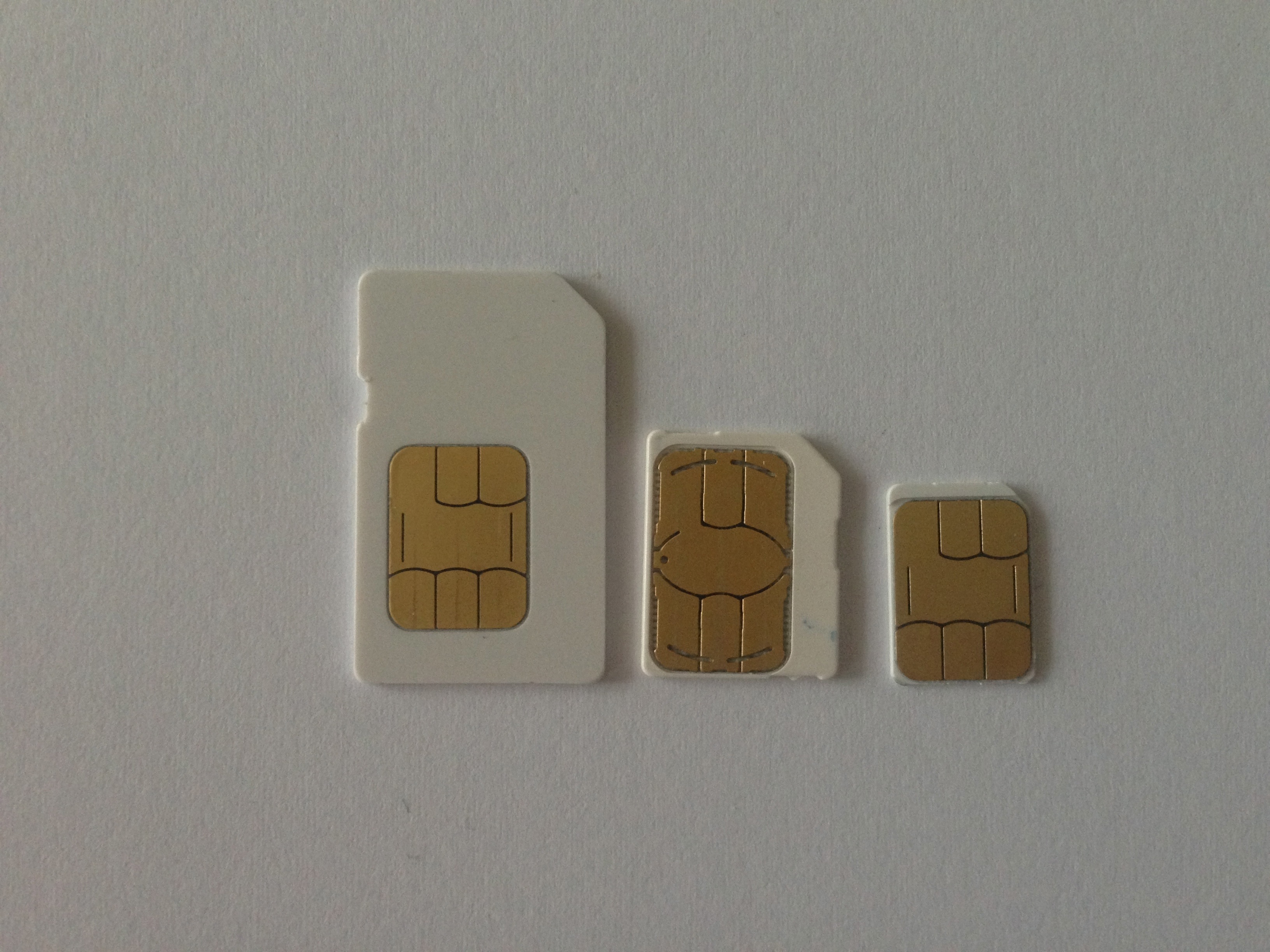
[Several SIM card sizes shown together, from full-size cards to nano cards.] Photograph: the subject
Image Credits: Wikimedia Commons
Software and settings checks
Update the phone's software if an update is available. Android Authority notes that outdated firmware can cause SIM recognition issues, and updates often include connectivity fixes.
Reset network settings if reseating and updates fail. Samsung's guide places this step after the physical checks, since it erases saved Wi-Fi networks, Bluetooth pairings, and mobile settings.
Do not factory reset the phone at this stage. A factory reset erases apps and data, and it cannot fix a bent tray or a dead card.
Check the SIM size and type against the phone's requirements. Some 5G phones need an updated SIM, and an old card from an older phone may not work in a new model.
Check for a carrier lock if the phone came from another network. A locked phone may reject a SIM from a different carrier, even when the card itself is healthy.
Carrier provisioning checks
A SIM can be physically perfect yet inactive. New lines, ported numbers, and replaced cards all need activation on the carrier's side.
Ask the carrier whether the line is active and whether the SIM serial matches the account. A mismatch after a replacement is a common cause of a silent failure.
Ask whether the account has a block, a suspension, or an unpaid balance hold. Some carriers suspend service without warning the phone's owner in a clear message.
Ask whether the phone's IMEI is allowed on the network. A small number of phones are blocked after theft reports, and a blocked device will not register any SIM.
Keep the carrier's answer with your swap-test results. A repair shop needs both to avoid replacing a phone that was never faulty.
What not to do
Do not force the tray with a thick tool. A bent eject pin can damage the tray slot and the reader behind it.
Do not clean contacts with water, toothpaste, or sandpaper. Abrasives scratch the gold layer, and moisture invites corrosion.
Do not buy a new phone before the swap test. Many "dead phone" cases turn out to be a free SIM replacement at a carrier shop.
Do not ignore a phone that gets hot around the tray. Heat plus a SIM error can signal a short or battery problem, and that needs professional inspection.
When to get help
Visit a carrier shop if your SIM fails in another phone. Bring ID if your carrier requires it for a replacement, and ask for the same number on the new card.
Visit a repair shop if another SIM fails in your phone. Describe the swap results, the drop history, and any water exposure, since those details guide the diagnosis.
Back up the phone before any repair that opens the device. A reader repair should not erase data, but backup removes the risk.
Ask for a quote before approving board-level work. A reader replacement can be cheap, while a board repair may cost more than the phone is worth.
Frequently asked questions
Why does the error appear after a software update?
An update can break modem settings or expose a card compatibility problem. Restart first, then check for a further update, and reset network settings before considering a factory reset.
Can a SIM card wear out?
Yes, contacts wear with repeated removal, and cards can crack or corrode over time. If a card fails in two phones, replacement is the most likely fix.
Does airplane mode really help?
It forces the modem to drop the network and re-register from scratch. That clears some registration faults without touching any stored settings.
Will a factory reset fix a SIM error?
Only if the cause is software, and only after simpler steps fail. It cannot fix a bent tray, a damaged reader, or an inactive line, so test hardware and carrier status first.
The bottom line
A "no SIM card" message with a card inside means the phone cannot read the card, not that the tray is empty. Restart, reseat, swap-test, and check carrier status in that order.
That sequence separates software faults, tray damage, dead cards, and account problems. It also stops a simple SIM replacement from turning into an unnecessary phone replacement.
Tags: SIM card, phones, troubleshooting
Rive News's research desk covers everyday science and pet behaviour from public sources, with no invented experts or first-hand claims.
Related
- What is an eSIM, and how does it work
- eSIM QR code not working: 7 fixes that actually work
- How to check if your phone supports eSIM in 30 seconds
- Why is your eSIM not working abroad
Subscribe for one plain-English explainer each day, with sources you can check.
Rive News publishes explainers from verifiable public sources; corrections are made openly when a source is shown to be wrong.
Related stories

Apple plans two October launches: smart home hub, OLED MacBook Pro
Apple set October 13 for a smart home launch with a new hub, Apple TV 4K and HomePod mini, then October 27 for OLED MacBook Pro models

How to Check If Your Phone Supports eSIM in 30 Seconds
Dial *#06# and look for an EID number to confirm eSIM support in under 30 seconds. This guide also walks through the iPhone and Android

eSIM vs iSIM: what is the difference?
An eSIM is a dedicated chip on the phone's board, while an iSIM lives inside the processor itself. Qualcomm's Snapdragon 8 Gen