
Are Passkeys Really Unphishable? Explained in Simple Terms
Key takeaways
- Passkeys resist phishing because each one is cryptographically bound to the real site's domain. A fake login page gets nothing usable.
- The browser writes the site's address into every sign-in. Your device refuses to answer for any address that does not match.
- The credential itself is solid. But attackers now target the edges: account recovery, password fallbacks, and scams that use passkeys as bait.
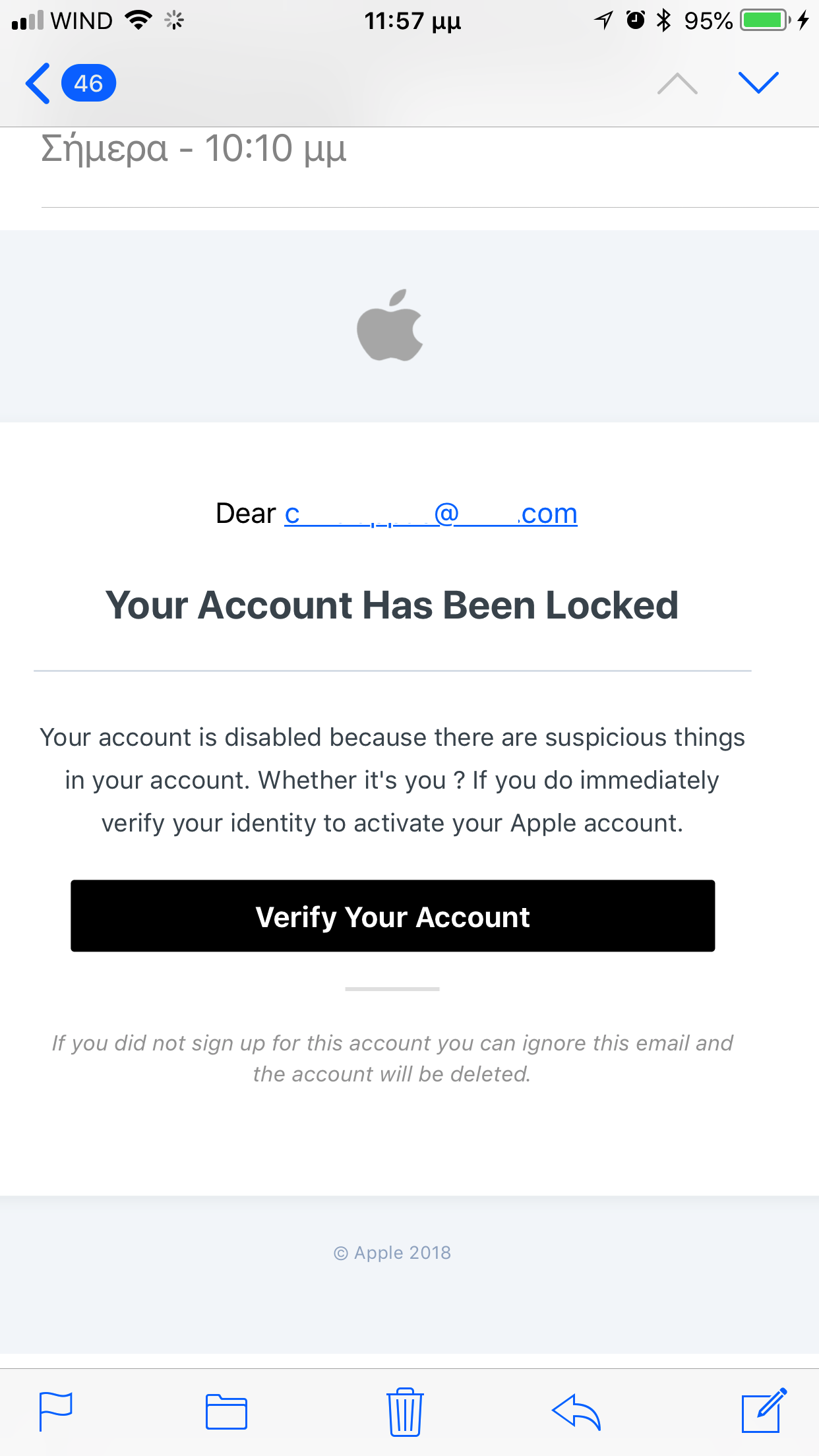
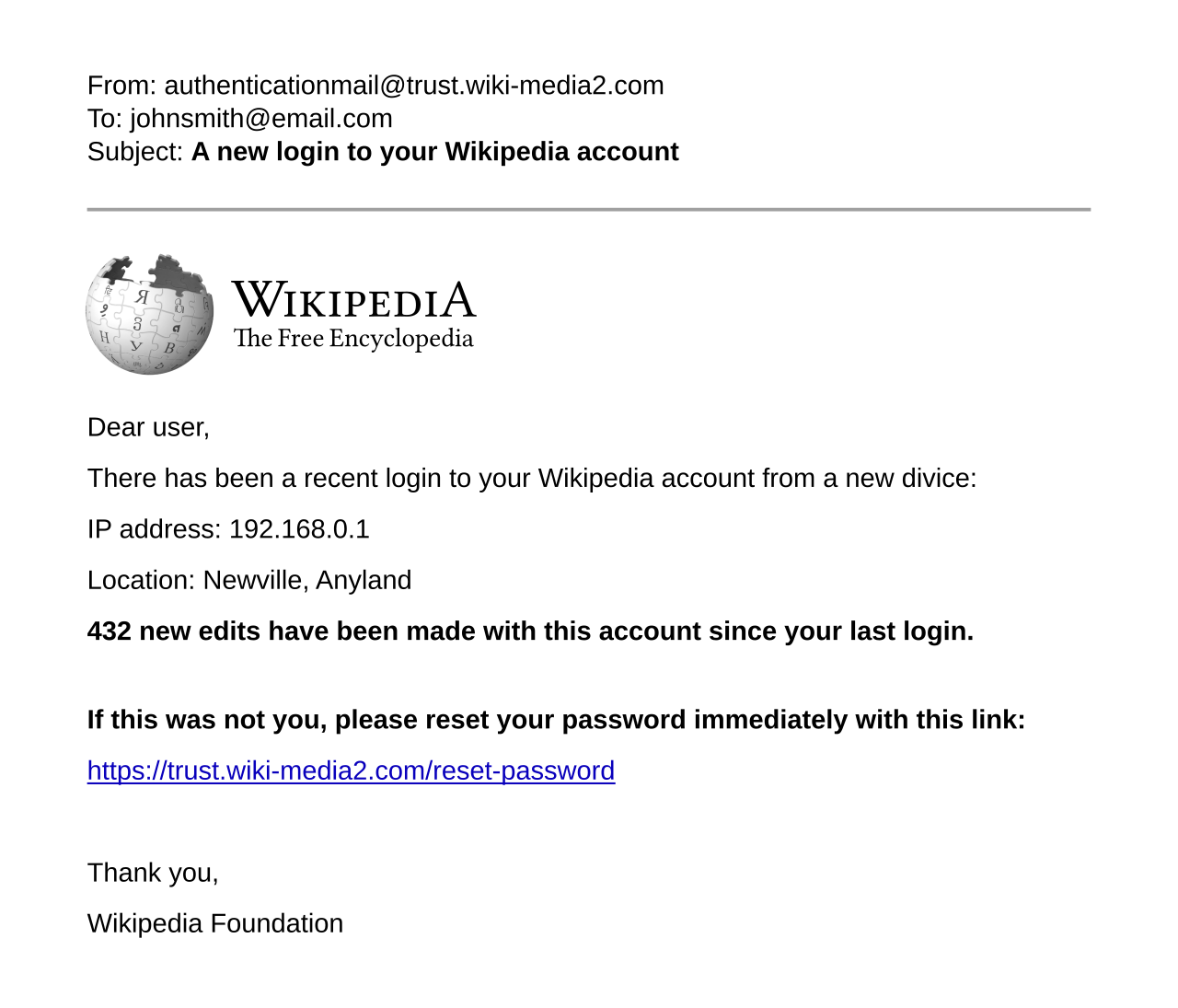
"Unphishable" is a bold claim, and it deserves a careful look. A passkey really does resist phishing in a way passwords and texted codes never could. But the word has limits. The honest answer is: the credential is unphishable, while the account around it sometimes is not.
Phishing works by exploiting human perception. An attacker builds a page that looks like your bank. You type your username and password. They capture both. Passkeys break this chain by removing perception from the equation. Your device does the checking, not your eyes.
This article explains whether passkeys are really unphishable in simple terms. It covers why phishing works on passwords, how domain binding stops it, what the browser does behind the scenes, where the protection has real edges, and the bottom line.
Why phishing works on passwords
Passwords are just text, and text can be typed anywhere. A phishing page at a convincing look-alike address asks for your password. You provide it. The attacker relays it to the real site in real time. One-time codes from SMS or authenticator apps fail the same way. The code is a secret with no memory of where it was entered. An attacker-in-the-middle proxy can capture and replay it.
This is not a rare or exotic attack. Phishing was the most reported scam type in Australia in 2025, according to the national Scamwatch data cited by Corbado. Generative AI has lowered the cost of running a convincing campaign. The problem is structural. Any secret you can read and retype can be stolen by a page that looks real enough.
SecureSlate's rollout guide draws the line clearly. Phishing-resistant authentication is "authentication that a fake website cannot capture and replay, because the credential is cryptographically bound to the real site's domain." SMS codes, authenticator app codes, and push approvals do not qualify.
How domain binding stops phishing
A passkey is born married to one website. When you create it, your device binds the key pair to that site's exact domain name. That is the relying-party ID in WebAuthn terms. The private key will only ever answer challenges for that origin.
Here is the plain-English version. You click a link in a convincing email and land on a page that looks exactly like your bank. With a password, you would type it and lose. With a passkey, your device looks for a credential registered to the address the browser actually loaded. The fake address does not match anything in your vault. So your device simply refuses to offer a passkey. There is nothing for you to type, copy, or paste around the block. You do not know the private key and cannot view it.
As one technical explainer puts it: "The user can be fooled; the math cannot." You might believe the fake page is real. Your device does not care what you believe. It checks the address itself.
What the browser does behind the scenes
The mechanism has a quiet hero. The browser writes the site's address into every sign-in. The page cannot lie about it. When your device signs the login challenge, it includes the origin the browser actually loaded. JavaScript on a malicious page cannot forge that field.
The server then verifies three things. The challenge is fresh and single-use, so old signatures cannot be replayed. The origin matches the site exactly, so a signature made for a look-alike domain is rejected. And the signature verifies against your stored public key, proving your device's private key produced it.
Skip any of those checks and the protection evaporates. That is why implementation quality matters. Security researchers note that a server which verifies the origin loosely, accepting any subdomain or a substring match, quietly reopens the phishing hole while the feature looks intact. The standard is sound. Each site's deployment still deserves scrutiny.
Where the protection has real edges
Calling the credential unphishable is accurate. Calling the account unphishable would be an overclaim. Attackers stopped attacking the factor and started attacking everything around it. Four edges matter.
Enrollment. When you first add a passkey to an account, something has to verify you are the real owner. If that setup step relies on a weak check, an attacker can bind their own device to your account.
Recovery. The "I lost my phone" flow is the classic weak point. If account recovery falls back to an email link or an SMS code, the attacker phishes that instead of the passkey. Our guide to losing your phone covers why the recovery path needs to be as strong as the credential.
Fallback logins. Many sites keep the old password active alongside the new passkey. An attacker ignores the passkey entirely and phishes the password. Until the fallback is removed or hardened, the account is only as strong as its weakest door.
Passkey-themed scams. Attackers now use passkeys as bait rather than as a target. Microsoft has warned about campaigns that present themselves as passkey updates. They actually route victims through adversary-in-the-middle proxies or abuse the legitimate device-code flow. As one analysis of the campaign notes, "passkeys are the lure, not the vulnerability." There is no evidence the cryptography was broken. Victims were steered into a different, weaker authentication process.
There have also been implementation bugs. A 2024 flaw in the cross-device Bluetooth path, tracked as CVE-2024-9956, could have allowed account takeover through mobile browsers. It has since been fixed in Chrome, Safari, and Firefox. The lesson is the same. The core cryptography holds, while the surrounding software needs the usual patching discipline.
FAQ
If passkeys are unphishable, why do phishing emails still matter?
Because most accounts still have passwords and recovery flows alongside their passkeys. The passkey itself cannot be phished. But a password fallback or a weak recovery process can be. Attackers go around the strong door.
Can a passkey be stolen in a data breach?
No, not in a useful form. Servers store only public keys, which cannot log anyone in. Breach exposure for passkeys is effectively zero. The private key never leaves your device.
Does "unphishable" mean I can click any link?
Definitely not. Malicious links can still install malware, and malware on your device is a different threat. Passkeys protect the sign-in step. They do not make your device invincible or your judgment irrelevant.
Should companies still train staff about phishing?
Yes. Training matters most during the transition, when password fallbacks and recovery flows are still active. The training message changes though: verify the process you are being asked to complete, not just the look of the page.
The bottom line
Passkeys earn the "unphishable" label honestly at the credential level. Domain binding means a fake site gets no valid signature. The browser attests to the real address. There is no secret for you to hand over by mistake.
The honest asterisk: your account is only as phishing-proof as its recovery flow and its fallback logins. Set up passkeys, then harden the paths around them. Keep a backup key, review your recovery options, and retire the password fallback where the site allows it.
Rive News is a research desk covering technology with source-first explainers.
Latest in tech
- What is a passkey and how it works, explained simply
- Passkey vs password manager: which is actually safer?
- What happens to your passkeys if you lose your phone
- How attackers bypass two-factor authentication
Get one clear tech explainer in your inbox every morning. Subscribe to the Rive News newsletter.
Rive News follows a source-first corrections policy. Published October 12, 2026. © 2026 Rive News.
Related stories

Apple plans two October launches: smart home hub, OLED MacBook Pro
Apple set October 13 for a smart home launch with a new hub, Apple TV 4K and HomePod mini, then October 27 for OLED MacBook Pro models, Bloo

How to Check If Your Phone Supports eSIM in 30 Seconds
Dial *#06# and look for an EID number to confirm eSIM support in under 30 seconds. This guide also walks through the iPhone and Android sett

eSIM vs iSIM: what is the difference?
An eSIM is a dedicated chip on the phone's board, while an iSIM lives inside the processor itself. Qualcomm's Snapdragon 8 Gen 2 introduced